


%20(1).png)
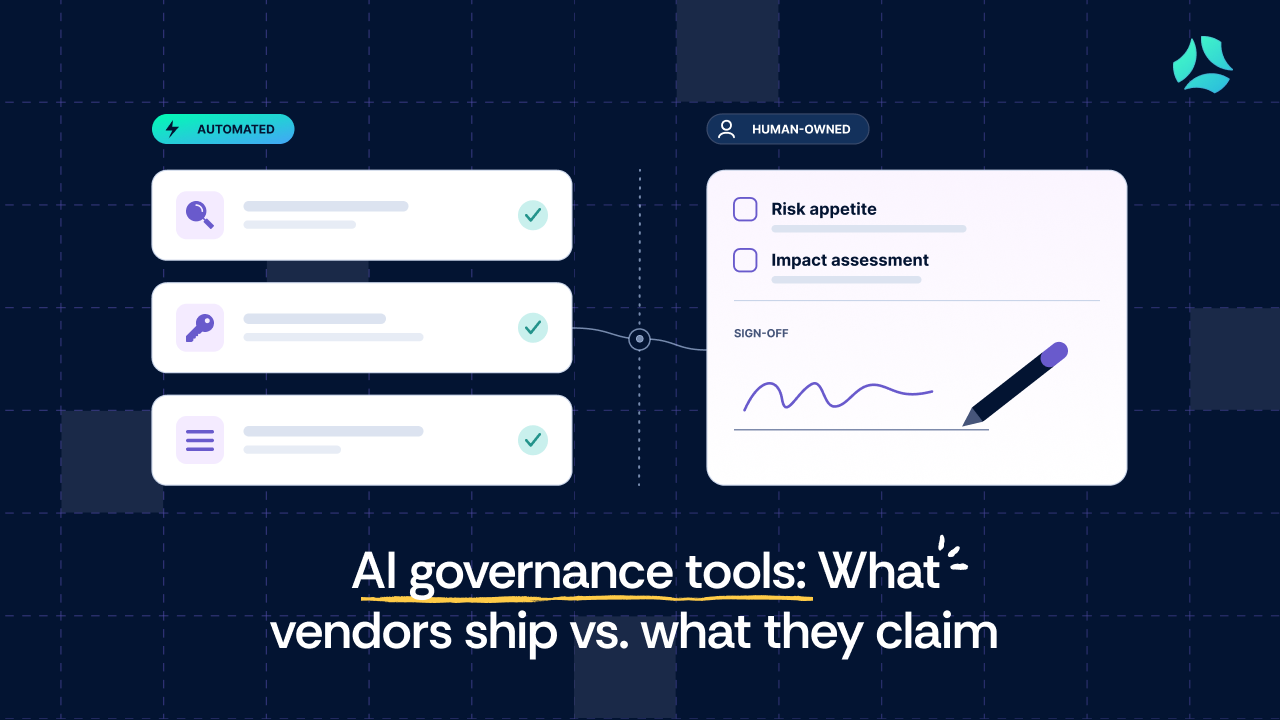


- AI governance tools mostly automate the operational governance: finding AI in use, controlling access to approved tools, and keeping an inventory of AI systems.
- Discovery usually stops at what your identity provider and connected SaaS can see. AI features switched on inside tools you already own often slip past.
- Some work stays with people: setting risk appetite, interpreting regulation, running impact assessments, and signing off on AI-generated output.
- NIST AI RMF and ISO 42001 describe outcomes, not products. No platform "completes" either one for you.
- In any demo, ask the vendor to run discovery on your environment, not a pre-loaded demo tenant.
At RSAC 2026, Teri Green-Manson, VP of Technology at Elevate, summed up the show floor in one line: "There are definitely 600 vendors at RSA who will tell you that you need to buy something to protect yourself from it."
She was talking about AI, and many of those vendors now lead with “AI governance.”
The pitch lands because the problem is real. Employees are bringing their own AI apps, and increasingly their own AI agents, into work without waiting for a security review.
The industry has a name for it: BYOA, short for bring your own application or bring your own agent.
The trouble is that the “AI governance” label tells you very little. It can mean a policy template, a list of approved tools, or live monitoring of AI agents in production.
Sorting one from the other takes time and expertise that most security teams don’t have to spare. A datasheet won’t do it for you.
This guide skips the theory. It maps what AI governance tools actually ship today, what still needs a human, and five specific tests you can run in any vendor demo.
Most definitions of AI governance land in the same place: the policies, processes, and guardrails that keep AI safe, ethical, and compliant. That's accurate, but it won't help you choose a tool.
The real issue is that one term now covers three different jobs. A tool that is strong at one can do very little for the other two.
Job 1: Ethical and societal governance. This covers bias, fairness, explainability, and the rights of people affected by an AI system. These are design and policy decisions, and no platform makes them for you.
Job 2: Regulatory and compliance governance. This covers GDPR Article 22 limits on automated decision-making, EU AI Act risk classification, NIST AI RMF alignment, and ISO 42001 certification. Platforms help you document, map controls, and collect evidence, but deciding what applies to you stays human.
Job 3: Operational governance. This covers knowing which AI systems you have, controlling who uses which tools, tracking AI in production, and catching shadow AI. Of the three jobs, this is the one tools can actually automate today.
Press on almost any vendor's AI governance claim, and it mostly lands in Job 3. That's useful, but it isn't the same as delivering Jobs 1 and 2.
Sandip Wadje, Managing Director at BNP Paribas, explains why Job 3 feels the pressure first. Generative AI put productivity in the spotlight, and suddenly “you have a business on one hand saying, hey, I found something and I think that will help me go take bigger risks, move a little bit faster.”
On the other side sit legal, risk, compliance, and the CISO. Vendors have rushed to fill the gap between them.
To show their tools can close that gap, many vendors point to ISO 42001 and the NIST AI RMF. That makes the two frameworks a useful yardstick for you, too.
Both touch all three jobs in principle. But meeting either one still takes a human decision at every point that matters, so a vendor claiming to cover both is claiming more than any tool can deliver alone.
Before you take that claim at face value, read our ISO 42001 vs. NIST AI RMF comparison.
What AI governance tools claim vs. what they actually ship
Most AI governance tools pitch four capabilities. Here’s what each one usually looks like once you get past the pitch, and where it thins out.
Treat this as a map of where to push, not a verdict on any single product.
1. AI discovery and inventory
The claim: "We discover every AI tool and agent in your company."
What usually ships: Discovery of AI apps that connect through your identity provider or OAuth grants in tools like Google Workspace, Microsoft 365, and Slack. You get a list of what employees sign into and connect.
Where it thins out: AI features that a vendor switches on inside software you already own, agents that call APIs outside your SSO logs, and a model-level inventory if you build on foundation models.
The embedded-feature gap matters more than it sounds. Sandip Wadje, Managing Director at BNP Paribas, describes financial institutions rolling out Microsoft Copilot and finding that it inherits existing permissions: "Copilot showed access employees their managers thought they never had."
No new app appeared in a discovery scan. The AI risk came from a tool the company had already approved.
2. Policy enforcement
The claim: "We enforce your AI usage policies."
What usually ships: Access controls on which approved tools people can use, alerts on known unapproved tools, and in some ecosystems, data loss prevention (DLP) rules on content.
Where it thins out: Real-time enforcement of nuanced rules, such as "never paste customer data into a tool that trains on user inputs." That takes DLP, endpoint monitoring, and a clear policy working together, and most lean teams don't have all three in place.
That specific risk has a name. Walter Haydock, CEO at StackAware, calls it unintentional training: data submitted to a model that the organization never meant to share, which the model may later resurface to other users.
3. AI risk assessment
The claim: "We automate AI risk assessment."
What usually ships: Templates and workflows. The platform prompts you to document AI use cases, tier them by risk, and track remediation tasks.
Where it thins out: The judgment. Nicholas Muy, CISO and VP of Engineering at Scrut Automation, says the hard part of any AI risk assessment is gathering context from the engineers and product owners who know how the system works.

4. Monitoring AI in production
The claim: "Continuous AI governance."
What usually ships: Tracing for AI features and agents through purpose-built tools such as Langfuse or LangSmith, covering tool-call accuracy, latency, token use, and cost per call.
Where it thins out: Subtle changes in output quality, and changes to third-party models you don't control. As Muy puts it, "how Anthropic changes their models on the fly or not, whether or not they bother to give you a notice or an update or let you know is at their discretion."
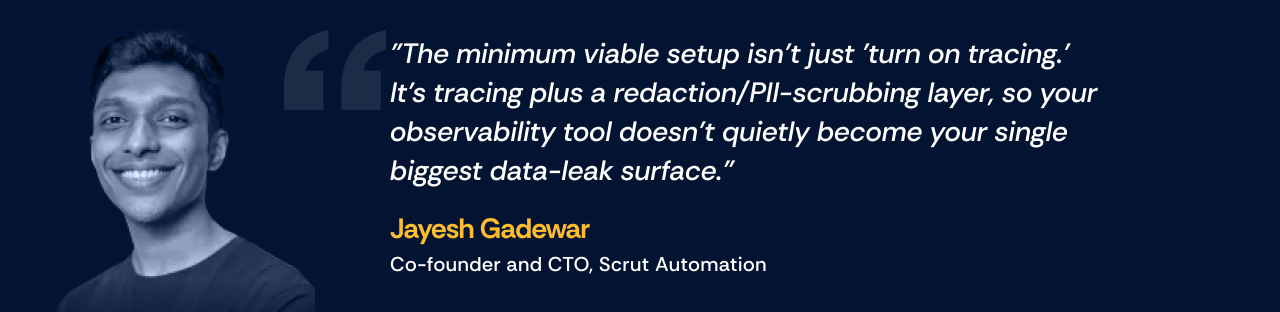
There is also a risk that monitoring creates. Jayesh Gadewar, Co-founder and CTO at Scrut Automation, points out that full prompt logs can capture usernames, personal data, and even API keys passed into context.
The four capabilities at a glance
The pattern holds across all four. Tools are good at seeing and recording, and much weaker at deciding. That leads to the work that stays with you.
What AI governance still needs a human for
"Automated AI governance" is a category claim that hides a boundary. On one side, the platform documents, tracks, and alerts. On the other, a person decides.
Here are five decisions that sit on the human side, what a platform can legitimately do for each, and where the handoff happens.
1. Setting your AI risk appetite
No tool can tell you how much AI risk your company is willing to accept. That depends on your customers, your market, and how much reputational and regulatory exposure leadership will tolerate.
Frameworks won't decide it either. "The thing no one ever does for any framework is make decisions, make confident decisions on, like, this applies, this doesn't apply," says Muy.
The handoff: The platform maps controls against your risk appetite. Someone has to write that appetite down first and get leadership to sign it.
2. Interpreting regulation for a new AI use case
When your team ships a new AI workflow, someone has to decide whether it triggers GDPR Article 22 protections on automated decisions, whether it falls into an EU AI Act high-risk category, and whether it creates new data processing obligations.
Walter Haydock warns that much of this will be settled by what he calls "regulation through enforcement," where the industry learns a practice isn't allowed only when a regulator fines a company for it. That makes interpretation a standing job, not a one-time setup task.
The handoff: The platform records the decision and the evidence behind it. Legal and compliance make the call.
3. Assessing the impact of an AI system on people
ISO 42001 requires two separate assessments. The AI risk assessment (clause 6.1.2) looks at risks to your organization, while the AI system impact assessment (clauses 6.1.4 and 8.4) looks outward at consequences for individuals, groups of individuals, and societies.
The outward-facing part is hard to template. It asks how a specific system, used in a specific way, could affect fairness, privacy, or safety for real people. ISO/IEC 42005:2025 now offers dedicated guidance on how to run it, but the judgment is still yours.
Scrut learned this during its own ISO 42001 implementation. “First, we thought that it was similar to risk assessment, but it was not,” says Siddhi Vadhwana, GRC Engineer at Scrut. “So we had to create a separate document for that.”
Scrut’s internal audit flagged the difference. One question the new assessment had to answer was whether an AI system that selects individuals could end up biased against a particular community.
The handoff: The platform structures the workflow and stores the results. People with context on the system do the assessment.
4. Owning AI-generated output
When an AI drafts a policy, a control description, or a questionnaire answer, who is accountable if it's wrong? Gadewar draws the parallel with engineering, where the engineer who owns a service still approves the AI-written pull request.
"Compliance is exactly the same," he says. The person who owns the control reviews and signs off, because "AI-generated output is a draft until a named owner approves it."
Mackenzie Thomas, GRC Manager at Sensiba LLP, put it bluntly: “You should never be pointing the finger at a non-human and saying, I didn’t know.” An AI-generated draft is just the newest non-human to point at.
The handoff: The platform routes the draft to an owner and logs the approval. The owner carries the accountability.

5. Accepting the risk of AI vendors and model providers
If your product calls an LLM API, the model provider becomes part of your supply chain. Deciding whether that's acceptable depends on what data flows to them, how long they keep it, and whether they train on it.
Muy compares it to the early days of cloud: "you are a customer of a model provider," and much of your documentation ends up describing what another company does. He's more concerned about how your company uses those models, "just like cloud."
The handoff: A vendor risk management workflow collects the evidence and tracks reviews. Your team decides whether the residual risk is acceptable.
Five questions to ask any AI governance vendor, including us
Teri Green-Manson puts the buyer's problem plainly: "Who is vetting the vendor?" She has had vendors offer to get her ISO compliant when they weren't ISO compliant themselves.
Her advice for buyers is to "ask people to open up the hood." These five questions do that, and they fit in a 45-minute demo. If someone on your team runs the first round of demos, hand them this list.
1. "Show me what you discover in our environment, live"
A strong answer: The vendor connects to your identity provider and shows the AI apps your people actually use, including ones connected with personal accounts. They're also upfront about what they can't see, such as AI features switched on inside your existing tools.
A red flag: A pre-loaded list of "known AI tools" matched against a static database, shown in a demo tenant.
2. "Walk me through what happens when someone uses an unapproved AI tool"
A strong answer: The vendor shows the detection source, the alert, who gets it, and the path to approve, restrict, or remove the tool. They name the integrations it depends on.
A red flag: A policy acknowledgement flow or a training module. Both prove a policy exists, but neither catches actual usage.
3. "Show me your AI impact assessment workflow, not the template"
A strong answer: A structured process that looks at consequences for individuals, groups, and society, kept separate from your risk register. The vendor says plainly that your team supplies the judgment.
A red flag: A risk register with "AI use case" added as a category, or a questionnaire that only asks what data the AI processes.
4. "What do you monitor in production, and what happens when something looks wrong?"
A strong answer: Tracing for tool-call accuracy, latency, and cost, with PII redaction in the logs and a named human escalation path. The vendor separates infrastructure monitoring from monitoring what the model actually outputs.
A red flag: A dashboard that shows your AI tools as "active" or "compliant," with no telemetry behind it.
5. "For ISO 42001 or the EU AI Act, what exactly do you automate, and what do we still do ourselves?"
A strong answer: A mapping of platform features to specific requirements, with the human-owned decisions marked clearly. That includes scope, impact assessment, and the statement of applicability.
A red flag: "We cover all ISO 42001 controls," or a badge that says "ISO 42001 aligned" with no explanation of what that means for your own obligations.
Don’t walk into a vendor demo empty-handed
Where AI governance breaks down in practice
Buying the right tool is only half the job. These four failure modes show up after the purchase, and each one traces back to a human decision that was skipped.
1. Governing by policy alone
The fastest response to AI pressure is an acceptable use policy that bans most tools. It rarely works.
Wadje's view is that if you don't give employees a sanctioned way to use AI, "they'll still have it somewhere else." Banned usage moves to personal accounts, and that leaves you with no audit trail at all.
Wadje also warns against the mistake of writing controls you can't keep up with. Regulators ask to see the rules you wrote for yourself, so "don't write internal controls that you would not be able to follow."
2. Discovery without a decision
Some teams run a discovery scan, look at the list of shadow AI tools, and stop. A list with no owner and no decision is knowledge without accountability.
Every discovered tool needs a status, such as approved, restricted, or under review, plus an owner and a review date.
Every discovered tool needs a decision. In Scrut, for example, discovered AI apps trigger a review, and the security team has to categorize each one as Managed (approved),
Restricted (prohibited), or Ignored. Parab describes the goal as “turning invisible risk into an auditable compliance workflow before a leak happens.”
Green-Manson saw the reverse problem at a peer's company. Its AI committee approved tools before technology had validated them, so the committee spent time on tools that might never pass review. Her fix is to validate first, so the committee only chooses from tools already known to be safe.
3. Treating the certificate as the program
An ISO 42001 certificate confirms that your AI management system met the standard at the time of audit, with surveillance audits over its 3-year life. It doesn't confirm that every new AI use case since then is governed.
Teams that cut investment after certification open a gap between what the certificate says and how AI is actually used. The same thing happens with ISO 27001 programs that only come alive before audits, which is why continuous compliance matters here too.
4. Agentic AI outpacing governance
Most AI governance programs were designed for people using AI tools. AI agents that take actions on their own are a different problem.
Wadje points to agent-to-agent protocols and MCP: "the collaboration outside the firewall is going through [the] roof." Governance built around employee logins won't see an agent calling another agent's API.
Haydock's advice is to put guardrails on what an AI can trigger. Whenever an LLM can call functions or kick off business logic, make sure "you have the right segregation of duties or authentication prior to doing that." Our post on continuous risk management for AI goes deeper on this.
Buy for the work a tool can do, and own the rest
The best AI governance tools are honest about a simple split. They see, record, alert, and keep evidence, and your team makes the decisions.
As Green-Manson puts it, "AI is artificial. You are the intelligence." The questions in this guide are how you hold a vendor to that line before you sign.
See where Scrut draws the line. Bring the five questions to a Scrut demo, and we'll show you what our platform automates for NIST AI RMF and ISO 42001, and what stays with your team. Book a demo.
AI governance tools are platforms that help you find, track, and control how AI is used across your company. Most of their real automation sits in operational work like AI discovery, tool access, inventory, and evidence collection.
No. Tools can automate discovery, tracking, alerts, and documentation. Decisions on risk appetite, regulatory interpretation, impact assessment, and sign-off on AI output stay with people.
The NIST AI RMF is a voluntary framework built around four functions: Govern, Map, Measure, and Manage. ISO 42001 is a management system standard you can be certified against by an accredited body, with a certificate valid for 3 years.
Not always. For many companies with 75 to 200 employees, aligning with the NIST AI RMF is enough until customers start asking for third-party assurance on how you govern AI.
Under ISO 42001, the risk assessment looks at risks to your organization. The impact assessment looks at consequences for individuals, groups of individuals, and societies, and the standard requires both.


%201.png)



.png)