

%20(1).png)
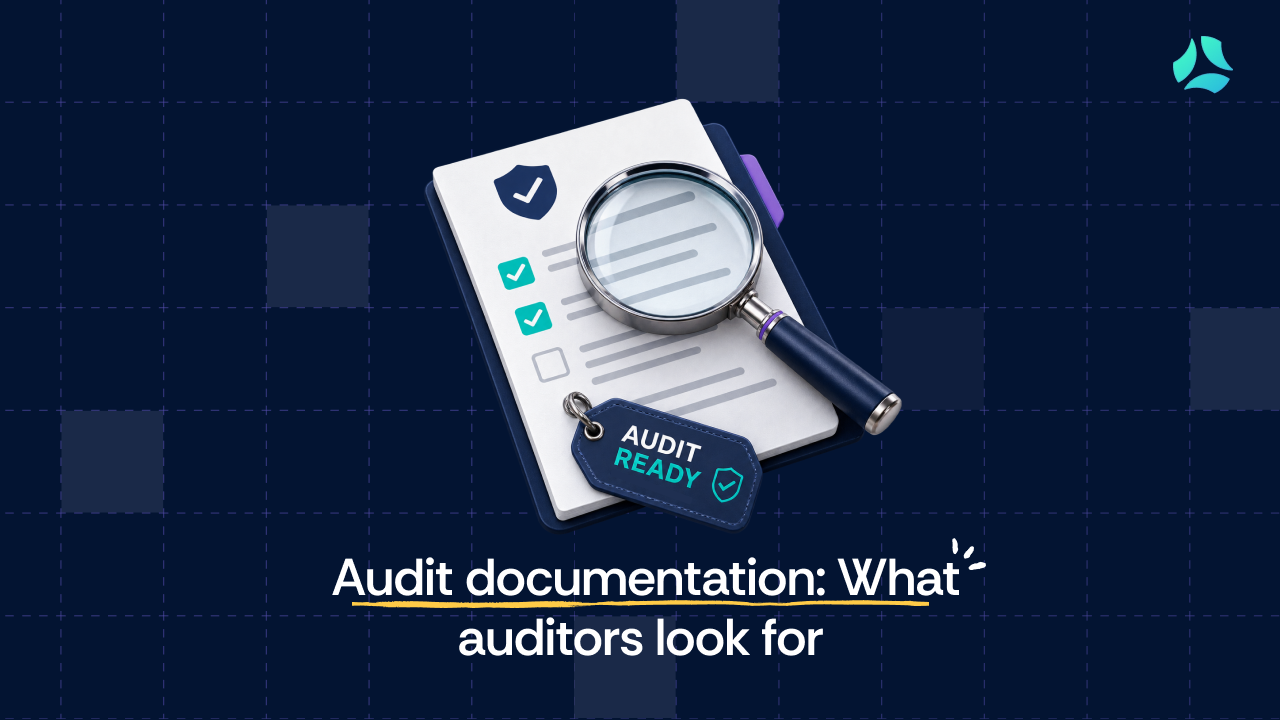


- Audit documentation is the structured record connecting controls to evidence. Completeness, timestamps, reviewer identity, and traceability are what auditors actually test.
- Organizing evidence by control, not by date or department, is the single most effective way to reduce friction during auditor fieldwork.
- Continuous evidence collection throughout the year eliminates the last-minute scramble that extends audit timelines and surfaces gaps at the worst possible moment.
- Automation reduces manual evidence gathering, but human judgment is still required to confirm controls are operating as intended, not just documented.
Most compliance teams organize their evidence by date. Access review completed on July 6, vulnerability scan run on August 12, policy approved in Q2. It feels orderly until the auditor asks for everything tied to a single control, and the team realizes that the answer is scattered across a dozen folders owned by three different people.
Audit documentation is the record that proves your controls actually worked, and it fails most often not because the control was missing but because the proof was impossible to find.
Security teams usually have the right controls in place. What they lack is a way to connect each control to its evidence quickly enough to satisfy an auditor watching in real time.
This guide covers the practical side: what auditors specifically check, how to organize evidence so it holds up during fieldwork, and how to stay audit-ready year-round without the annual fire drill.
What is audit documentation?
Audit documentation is the structured record of procedures performed, evidence collected, and conclusions reached during a compliance audit. It connects each control to the proof that the control operated as required, and it lets an auditor verify effectiveness without reconstructing your year from scratch.
Two things get conflated here, and the distinction matters. Audit evidence is the raw information an auditor uses to judge whether a control works: a timestamped log export, an HR active-user list, a CTO sign-off email on a quarterly firewall review. Audit documentation is the organized record that holds that evidence together with the context around it, including who performed the activity, when, and which control it maps to. Evidence is the material; documentation is the case you build with it.
That distinction also maps onto the difference between design-time documentation (policies, system descriptions, configuration standards) and operating-effectiveness documentation (logs, access review exports, approvals collected over time), which is the practical difference between a SOC 2 Type I and a SOC 2 Type II. A Type I asks whether controls are designed correctly at a point in time. A Type II asks whether they actually operated across a period. For deeper context on the raw material itself, see types of audit evidence.
Audit documentation is also called “working papers,” a term you will encounter when working with financial statement auditors. PCAOB AS 1215 codifies the requirement for public company audits. The terminology differs across contexts, but the function is constant across any compliance audit: a traceable record that lets someone else confirm the control did what it was supposed to do.
Examples of audit documentation
In practice, auditors review a mix of policy documents, system records, and operational evidence, and for each type, they check something specific within the artifact, not just its existence.
SOC 2 documentation types and auditor verification focus
What auditors actually look for in audit documentation

The problem is rarely the type of evidence. Most teams have policies, logs, tickets, and reports. When documentation needs to be reviewed or edited collaboratively, teams can convert a PDF to Google Docs, making it easier to update and share with reviewers.What auditors evaluate is whether the documentation carries enough context to confirm the control genuinely operated. They assess five criteria.
Completeness: The evidence must show the full control activity occurred, not a fragment. An access review needs to list every user reviewed, not a partial screenshot of one screen.
Timestamped activity: Auditors rely on dates to confirm controls ran at the required frequency. In Scrut's own audit, the auditors asked for screen recordings of business continuity testing so the system clock was visible on camera. That level of specificity is normal when timing is the thing being proven.
Auditors rely on dates to confirm controls ran at the required frequency. In an earlier audit, Scrut's own team hit this exact gap and had to manually screen-record BCP testing to prove the system clock. That requirement went away once timestamped logging was built directly into the platform, evidence of when something happened is now automatic rather than something a person has to manufacture on demand.
Responsible reviewer or approver: There must be a clear record of who performed or approved the control, whether that is a pull request approval, a documented change sign-off, or a named approver on an access review.
Traceability to the control: Each piece of documentation must map to a specific control requirement. A change ticket should connect to the change management control and show the approval workflow attached to it.
Most teams miss the next two criteria, because they require active maintenance rather than one-time setup.
Consistency across evidence: When the system description, the policies, and the actual evidence tell three different stories, the auditor stops trusting the narrative and starts verifying everything. Inconsistency between what a policy claims and what the evidence environment reflects is the primary trigger that escalates sampling depth.Keeping every policy version-controlled with a change history makes it easy to show which version was in place during the audit period.
The red-flag callout below shows what that looks like in practice.

There is a mechanism behind why a clean-looking program can still generate more requests, not fewer. Auditors calibrate testing depth using the audit risk model, and when they keep finding clean results, they often expand the sample to probe deeper. Passing early tests does not always shorten the audit. It can invite more scrutiny, which is one more reason to build continuous compliance into how the program runs.
What usually happens during an audit
Most compliance audits follow a predictable arc. Understanding the phases helps teams prepare the right evidence before, not during, the audit.
Kickoff and scoping: The auditor confirms scope, applicable controls, and documentation requirements.
Evidence request list: A formal request list is shared, outlining what the team must produce.
Fieldwork (population and sampling): This is the phase most teams underestimate. The auditor requests the population, meaning the full dataset for the audit period, such as every change ticket created during a six-month window.
From that population, the auditor draws a random sample and asks for evidence on each item. The dynamic is unforgiving: if the team is assembling evidence in real time while the auditor watches, credibility erodes fast.
Follow-ups and observations: The auditor requests clarification or additional evidence where the picture is incomplete.
Report drafting: Findings and observations are shared before the report is finalized.
The consequential detail is what happens when evidence is produced during fieldwork rather than before it. If the auditor watches a team scramble to locate a sample, confidence in the entire control environment drops, and that suspicion expands the scope of testing across controls that were never in question. This is the mechanism that makes pre-audit organization so valuable, and it is why teams running a SOC 2 audit benefit from an internal audit checklist well before the auditor arrives.
How to organize audit documentation by control (not by date)
Most compliance managers organize evidence the way it gets produced: by date or by department. “Access review done on 6 July 2026” goes in the July folder. It feels natural in the moment. In the long run, it forces a scavenger hunt, because six months later, when the auditor asks for everything tied to a specific control, nobody remembers which folder, drive, or stakeholder holds the piece they need.
Organizing by control flips this. ISO 27001 has 93 controls in Annex A (ISO 27001:2022). SOC 2 organizes around the Trust Services Criteria. In both cases, the evidence structure should follow the control, not the calendar. When an auditor asks for cryptography control evidence, control-based organization produces the relevant artifacts in a single search. Date-based organization requires the team to reconstruct that evidence from multiple date-stamped folders owned by different people.
SOC 2 evidence organization: date/department vs. control-based
Multi-stakeholder evidence is where control-based organization gets tested. Some controls, access reviews being the clearest example, pull evidence from HR (the active-user list), IT (the per-application user list), and management (the review and approval).
Left fragmented, each owner holds a piece, and no one holds the whole. The fix is to assign a single control owner who collates the pieces under one control reference. When HR and IT both own parts of the same asset inventory control, bringing both into one conversation and mapping their evidence to the shared control is what prevents the fieldwork scramble. This is exactly the kind of coordination that GRC automation is built to remove from the manual pile.
A practical workflow for staying audit-ready year-round
One of the biggest mistakes organizations make is treating audits as a once-a-year project. As Todd Dekkinga, CISO at Sycomp, described, many startups focus on compliance only during certification, then scramble when the surveillance audit arrives, sometimes falling a hundred controls behind. The easiest audits happen when evidence is collected continuously. A simple operating model makes that possible.
Step 1. Map each control to the exact evidence that proves it worked. For each control, ask a simple question: what would prove this actually ran? The mapping is more consequential than it sounds, because it eliminates the mid-audit ambiguity about what evidence is acceptable.
SOC 2 control evidence and schedule template
Step 2. Assign clear evidence owners. As Beau Butaud put it, assign the controls and tasks to people, make it clear what they are supposed to do, then assign one person responsibility for the whole project.
Without a named owner per control, evidence collection depends on tracking down whoever happens to remember where things are, which is exactly the scramble that damages auditor confidence during fieldwork. Ownership is not about accountability in the abstract. It is about having one person who can produce the evidence for a specific control on the day the auditor asks, without a cross-team search.
Step 3. Collect evidence continuously. Manual evidence collection tends to happen in a burst right before fieldwork, when someone pulls logs, screenshots, and approvals together under deadline pressure. That timing works against the evidence itself.
Access lists change, approvals lapse, and screenshots go stale between the moment they're taken and the moment an auditor reviews them, which is part of why manual, point-in-time evidence collection so often surfaces gaps that continuous collection would have caught earlier. Continuous collection changes the timing, not the requirement.
The same evidence gets captured as it's generated, so by the time an audit starts, what auditors see is a maintained record rather than a reconstruction assembled under pressure. For the tooling side, see how automated evidence collection works.
Step 4. Run periodic internal checks. Before an external audit begins, an internal review can surface the same gaps a real auditor would find, while there's still time to close them. Run through the controls, flag what's missing or out of date, notify the relevant stakeholders, and correct it before fieldwork starts.
An internal audit is worth it for a company of any size. One independence rule governs it: the person who implemented a control should not be the one running the internal check. Implementers carry blind spots about their own work.
What actually creates audit workload (and how to reduce it)
Manual evidence collection is where the hours go first. Teams export logs, generate reports, capture screenshots, and compile documents by hand, and the cost multiplies when auditors request historical evidence spanning the whole period.
Evidence scattered across systems. Pull an access review and you immediately touch four systems: the HR master list, the application user lists from IT, the department head approval records, and the ticketing system where the review was logged. That is the multi-stakeholder coordination problem in its most expensive form. Compliance monitoring that consolidates these sources removes the manual pull.
Repeated clarification requests. When evidence is incomplete or hard to interpret, auditors come back with follow-ups, and each round adds screenshots, exports, and back-and-forth that extends the timeline.
Evidence that exists but cannot be demonstrated to an auditor's standard. Evidence that exists but cannot be demonstrated to an auditor's standard. This is the cause most teams overlook. A control can run exactly as designed and still create a finding if the proof isn't in a form an auditor can rely on.
A common version of this: quarterly firewall reviews get performed every quarter, but one quarter is missing the sign-off from whoever approved it, and that turns a working control into a gap that requires justification. The same pattern shows up with informal approvals: a thumbs-up on a Slack message is not acceptable to an auditor even when the decision behind it was sound.
The evidence existed; it just could not be demonstrated in a form the auditor could rely on. And the cost compounds, because when an auditor watches a team scramble for evidence during fieldwork, it signals the control environment is not actively managed, which raises suspicion across every control, not just the one being tested.
How automation reduces audit evidence work
Modern environments change constantly. Configurations shift, access permissions evolve, and static evidence such as one-time screenshots goes stale quickly. Automation addresses this by collecting and validating evidence continuously as systems operate, so proof is captured in the moment rather than reconstructed before an audit.
One thing automation cannot do: judge whether a policy is rightly drafted for the kind of business the organization actually does. That call stays human. What automation handles is the assembly work.
Tools like Scrut Monitor fetch evidence directly from connected systems, compile it into audit-ready formats, and store it as controls operate, which means teams provide system-generated proof of how a control performed over time rather than assembling it retroactively.
For a deeper look, see harnessing automation for evidence management and how automated controls testing works in practice within a broader compliance automation platform.
When to run an internal audit before your external audit
An internal audit is test prep. It finds the gaps before the auditor does, while there is still time to fix them. As Siddhi Vadhwana, Information Security Manager at Scrut, put it, once the audit period ends and the auditor's fieldwork begins, there is no going back, because auditors only consider evidence from the period that already closed.
Whether it is mandatory depends on the framework. For SOC 2, an internal audit is not required by the standard, though it functions as readiness assurance. For ISO 27001, an internal audit is an explicit, mandatory requirement of the standard. Know which regime you are in before you decide how formal to make it.
Who runs it matters as much as whether you run it. The implementer should not be the internal auditor, because implementers carry blind spots about their own work. The practical fix is a cross-functional swap, where someone who did not build the governance function audits it, or bringing in an external practitioner. Customers of a GRC platform can ask their vendor's infosec analyst team to run it.
The missing firewall sign-off is the clearest example of what an internal audit catches. The evidence existed, the quarterly reviews were happening, but without the CTO sign-off, it could not be demonstrated to an auditor's standard. That is what the internal audit should test: not whether evidence exists, but whether it carries timestamps, approvals, and the right format.
For SMEs under 200 people without a dedicated GRC manager, quarterly or semi-quarterly internal control checks are enough to start, with the CTO owning the program in the absence of a GRC specialist. Focus those checks on the controls that carry the most risk: access control, cryptography and key management, incident management. For structure, an internal audit checklist gives you a starting frame.
A simple checklist for staying audit-ready
Run through these before the audit window opens. The difference between a fire drill and a routine export is almost entirely preparation.
Before the audit period begins:
- Controls mapped to the exact evidence that proves each one worked
- Evidence owners assigned per control
- Evidence organized by control, not by date
- Change management records include sign-off approvals
- Access review records include the HR active-user list, per-application user list, and department head approval
- Internal audit or readiness check completed by someone who did not implement the controls
During the audit period:
- Timestamps and approvals present on all evidence
- Automation configured to pull evidence from cloud infrastructure, identity providers, and ticketing systems, not assembled manually before the audit window opens
Teams that have done this work don’t scramble during fieldwork. They export. For the tooling side, see compliance audit software.
Conclusion
Audit documentation becomes difficult when it is treated as something to assemble right before the audit window. In reality, most of the evidence auditors request already exists inside the systems your teams use every day. The challenge is organizing it so it is complete, traceable, and mapped to the control it proves.
The goal is not to collect more documentation. It is to build a process that continuously captures evidence, organizes it by control rather than by date, and runs an internal check by someone who did not implement the controls, before the external audit, so gaps surface while there is still time to fix them. When documentation is managed this way, audits become predictable instead of disruptive.
Automation carries much of this load, collecting evidence continuously from cloud environments, ticketing systems, and security tools so documentation stays audit-ready year-round. If you want to reduce the time your team spends chasing evidence, schedule a demo with Scrut.
Not exactly. Audit evidence refers to the information auditors use to evaluate whether a control is operating effectively. Audit documentation is the structured record of that evidence, along with supporting details such as timestamps, approvals, and system reports. In practice, documentation organizes and contextualizes the evidence that auditors review.
Retention requirements vary depending on the framework and organizational policy. Many organizations retain audit documentation for at least three to seven years to support regulatory requirements, repeat audits, and internal reviews. Retention policies should align with your organization’s broader data governance and compliance requirement
Documentation is usually considered insufficient when it lacks traceability or context. Common issues include screenshots without timestamps, policy documents without approval records, or reports that do not clearly show who reviewed or authorized the activity. Auditors typically look for evidence that clearly demonstrates when the control occurred and who performed or approved it.
Auditors frequently request documentation related to access management, change management, security policies, training records, and risk assessments. This may include access review reports, change approval records, vulnerability scan results, policy approvals, and system configuration reports.
The most effective approach is to capture evidence continuously rather than collecting it during the audit window. Integrating compliance workflows with systems such as cloud infrastructure, ticketing platforms, and identity management tools helps generate evidence automatically. This reduces manual effort and ensures documentation is already available when auditors begin their review.


%201.png)



.png)