

%20(1).png)


%201.png)
Choose risk-first compliance that’s always on, built for you.
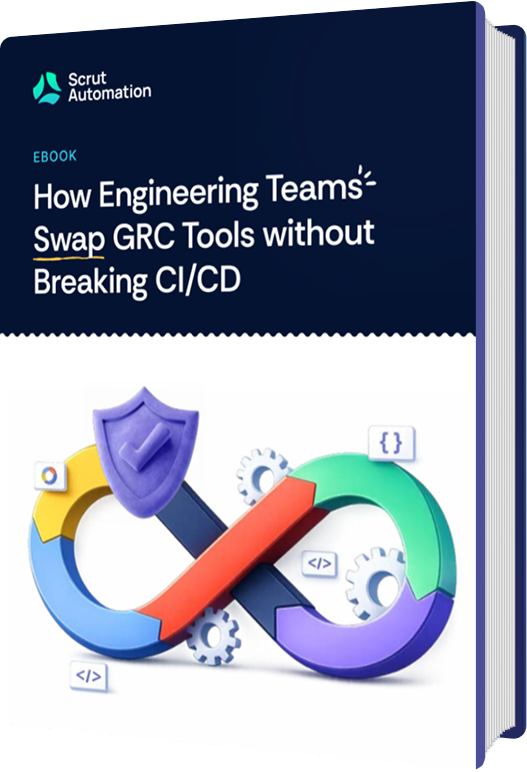
For engineering leads and security teams stuck with a GRC tool that drains sprint capacity. A technical playbook for migrating platforms without stalling deploys or invalidating your audit.

The decision to migrate your GRC platform usually starts with a broken integration, a flooded Jira backlog, or a sprint that got hijacked by compliance cleanup.
For most engineers, the internal dialogue sounds more like: “This thing is generating 40 tickets a week that nobody asked for, and half of them are wrong.”
The friction of staying compounds quietly. More manual evidence collection. More false alerts that need triage. More sprint capacity diverted to compliance cleanup instead of shipping. But switching tools means reconnecting AWS, GitHub, Okta, and Jira, and doing it wrong means a broken pipeline, a Jira flood, or a gap in your audit evidence that nobody notices until the auditor does.

The evidence blackout: Disconnect the old tool before the new one is fully calibrated and you have a gap in your audit timeline. If the auditor samples that window, you have nothing to show them. Manual re-collection is the cost.

The sprint tax: A new tool that floods Jira with duplicate tickets on day one, or triggers a webhook collision that stalls a deploy, will cost you sprint velocity and engineering trust simultaneously. A botched migration doesn’t just slow down compliance, it makes engineers permanently skeptical of the next change you propose.

The rework trap: If a staff engineer has to re-collect evidence they already gathered because metadata got dropped in the migration, you lose their trust. That’s harder to recover than any technical debt.
So you are stuck between two bad options: stay with a tool that is quietly draining your team’s capacity, or switch tools and risk something visibly worse.
Here is the other side: the cost of staying with an inadequate tool compounds every quarter. More manual evidence collection. More engineering hours are diverted from the roadmap, and more audit cycles depend on heroic last-minute effort instead of automation. Every month you delay, you are effectively choosing the slow bleed over the surgery.
The impact shows up directly in engineering workflows. Manual evidence collection, control validation, and audit preparation pull engineers away from building and shipping, turning compliance into a recurring disruption instead of a background system.
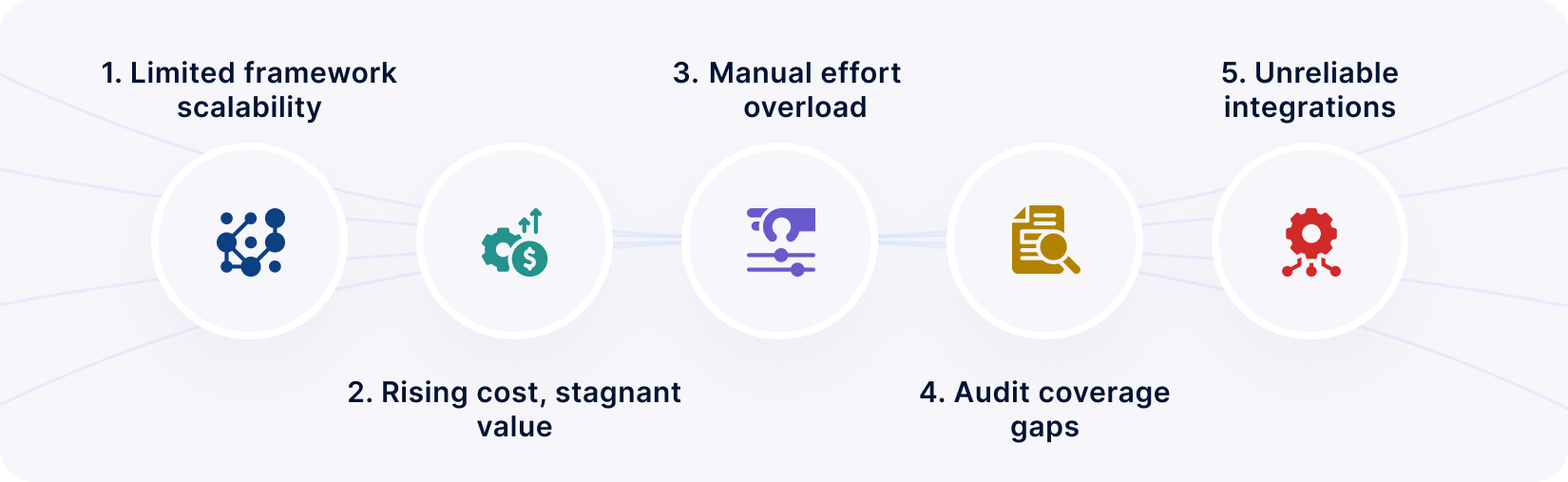
Not every frustration with your current tool warrants a full platform swap. The decision becomes clear when one or more of these conditions are present:
If two or more of those apply, you have a strong operational case for switching. The playbook shows you how to do it without creating a bigger problem than the one you are solving.
The belief that migrating a GRC platform is as simple as “plug and play” is a dangerous misconception. In reality, compliance automation is a complex web of API dependencies and logic gates. When you swap the engine while the car is moving, the risk isn't just a temporary loss of data; it is the creation of blind spots that invalidate months of audit preparation.
To migrate successfully, you must move from high-level optimism to a state of clinical, procedural paranoia.
Most migration failures do not happen during the “big cutover.” They happen at the integration and metadata layers: the places where two systems interpret the same data differently, or where a timing gap creates an evidence black hole that nobody notices until the auditor does.
These failure points sit at the integration and data handoff layers, where identity systems sync, logs are ingested, and control logic is interpreted across tools.
If these seven junctions are not managed, the transition will trigger a cascade of technical debt and audit non-conformity.
It is a common mistake to assume your auditor has a preference for specific software. In reality, auditors are tool-agnostic; however, they are obsessed with integrity.
When you switch platforms mid-cycle, an auditor doesn't see a feature upgrade; they see a potential break in the chain of custody.
The primary concern is Period-of-Coverage (PoC) integrity, your ability to show continuous, gap-free evidence across the entire audit period. The auditor requests a sample of automated evidence from the first four months of the year (covered by your legacy tool) and the last eight months (covered by the new platform).
Any gap in sampling windows, even a 48-hour window where an integration was unlinked, can lead to a qualified opinion or a “Material Weakness” finding, which is a serious control failure that can impact your audit outcome.
To satisfy an auditor, your migration must prove:
 Traceability: Can you map a legacy GRC 'Pass' to the new platform’s 'Pass' without ambiguity? If the auditor pulls a control from the old system and asks to see the equivalent in the new system, can you show a clean 1:1 mapping?Repeatability: Does the new automation produce the same result as the manual test it replaced? If you automated an access review that used to be done via a spreadsheet, the new tool’s output needs to produce equivalent or stronger evidence.Crosswalk consistency: Is the transition between framework versions documented so the auditor does not send your team back to re-collect? If you moved from SOC 2 (2017 criteria) to SOC 2 (2022 criteria) during the migration, the version change and its implications need to be explicitly documented.
The goal is to make the transition invisible to the auditor. If they can tell where the legacy data ends and the new automation begins, your team pays the price in re-collection requests and extended audit timelines.
The most immediate failure mode isn't an audit finding. It's day one of the new tool flooding Jira with 200 tickets that engineers didn't ask for and can't action.
Webhook collision stalls a deploy: you lose sprint velocity. Two hundred false alerts in week one: engineers start ignoring everything the tool sends, including the legitimate findings. These aren't edge cases. They're the default outcome of an unmanaged cutover.
Treat the reconnection the same way you'd treat deploying a new service to production: staged rollout, validation gates, and the ability to roll back if something breaks.
How to reconnect your stack without breaking CI/CD
Do not simply click connect in the UI. Follow this system-specific protocol to ensure technical parity and minimal disruption to the platform team.
Deploy via IaC: Deploy the new platform’s IAM roles via Infrastructure-as-Code (Terraform or CloudFormation): This ensures the connection is version-controlled, auditable, and reproducible. Do not configure roles manually through the console.Scope validation: Confirm the role covers all production and staging accounts. Validate that CloudTrail (or equivalent) is correctly scoped to capture the API activity Scrut needs for drift detection.Test drift detection: Intentionally trigger a minor, low-risk configuration change (e.g., changing a non-sensitive S3 bucket tag) and confirm the new platform detects the drift within the expected window. If it does not, you have a scope or permissions issue to resolve before proceeding.to confirm Scrut detects the drift within the expected window. Clean cutover: Remove the legacy compliance tool’s GitHub (or equivalent VCS) integration before installing the new platform to prevent webhook conflicts. Concurrent listeners can cause event data to be dropped, duplicated, or rate-limited.Branch protection: After installation, validate branch protection metadata. Confirm the new GRC platform is pulling the correct data for branch protection rules and PR approval requirements.Verify evidence ingestion: Push a sample commit and confirm that the expected code review artifact appears in the new platform’s evidence repository.
 Validate SCIM provisioning logic: Confirm that the metadata for 'Last Login' and 'MFA Status' is syncing correctly, because these are the two most commonly sampled attributes during an access review audit.Test deprovisioning in a sandbox account: Trigger an offboarding event and confirm that the new platform logs it in real time with the correct timestamp. If this does not work cleanly, your new joinee/exiting employee evidence will have gaps.
 Status mapping: The most common failure (i.e., a resolved ticket in Jira) does not correctly close the corresponding risk in the new tool because the status mapping was not configured.Keep auto-ticketing disabled for the initial phase: If auto-ticketing is enabled on day one, every legacy known issue and every re-detected condition from the baseline scan will generate a new ticket in your engineers’ backlogs. That is the fastest way to kill internal buy-in for the migration.Test drift detection: Intentionally trigger a minor, low-risk configuration change (e.g., changing a non-sensitive S3 bucket tag) and confirm the new platform detects the drift within the expected window. If it does not, you have a scope or permissions issue to resolve before proceeding.to confirm Scrut detects the drift within the expected window.
Silent monitoring only. No Jira tickets, no Slack, no external notifications.

Compare new vs legacy alert logs for the same period. Categorize every discrepancy.

Security lead reviews in-platform first. Push to channels only once baseline is stable.

Suppress all legacy false positives and accepted risks before enabling live alerts.
“If Slack fires on day one, you’ve already lost engineering trust.”
When you connect a new GRC tool, an initial spike in alerts is almost guaranteed. This isn't necessarily because your security has weakened; it's because the detection lens “lens” has changed.
Detection and configuration differences: During initial setup, the platform performs a full scan and may interpret risks, findings, policies, and evidence differently. Previously ignored conditions or accepted exceptions may not yet be configured, leading to a temporary increase in detected issues.By treating the reconnection as a controlled technical release, you ensure that compliance remains an automated byproduct of engineering, not a tax on it.
The greatest risk in GRC migration is the observability gap, the window where one tool is disconnected before the second is fully calibrated. During that gap, automated evidence collection stops. If the auditor samples that period, you have nothing to show them except a migration timeline and an explanation.
To eliminate this, we utilize the Parallel Run Model.
Early-stage compliance programs often grow around whatever tools are available at the time. A spreadsheet tracks risks. Policies live in a document repository. Evidence is stored in shared folders. Alerts appear in monitoring tools. Individually, these systems work. Together, they create fragmentation.
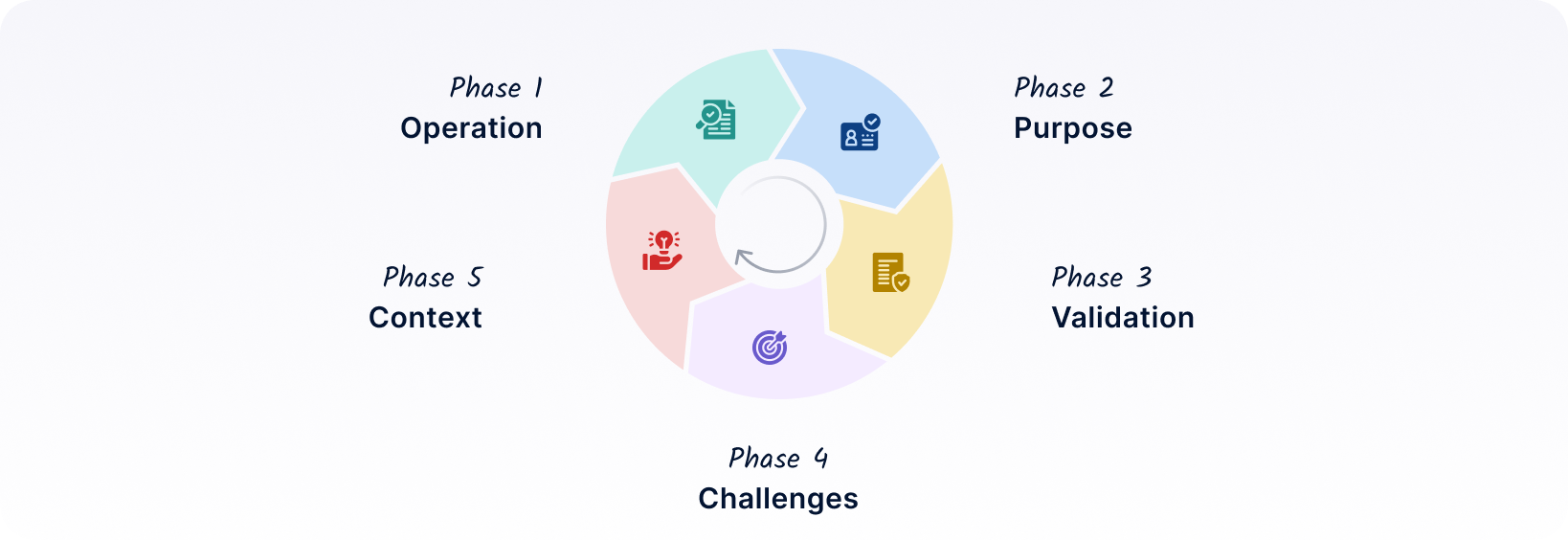
The Parallel Run Model mandates a 60–90 day overlap where both your legacy GRC tool and Scrut Automation are active. This redundancy ensures that your system of record is never offline and that every automated test is validated against a known baseline before the legacy tool is decommissioned.
Phase 1 – Operation:Phase 2 – Purpose:Phase 3 – Validation:Phase 4 – Challenges:Phase 5 – Context:A GRC migration lives or dies in the configuration details. The following checklist specifies exactly what to deploy, what to validate, and what done looks like at each stage.
Project management milestones are not enough; your team needs concrete verification steps.
Deploy the new platform's IAM roles using Terraform or CloudFormation. Do not configure manually through the console.Commit the role definitions to version control and run terraform plan to confirm no unintended scope changes before applying.Verify that the role ARN is correctly referenced in the platform's integration settings.Enable shadow mode before connecting any integration. Confirm with the vendor that shadow mode is active and that zero external notifications will fire.Connect AWS, Azure, or GCP. Confirm CloudTrail (or equivalent) is scoped to all production accounts.Connect your IdP (Okta, Google Workspace, Azure AD). Validate that Last Login and MFA Status attributes are syncing correctly: these are the two most commonly sampled attributes in access review audits.Connect GitHub or GitLab. Remove the legacy tool's webhook first to prevent event collision.AWS/GCP/Azure: Make a minor, low-risk configuration change (e.g., modify a non-sensitive S3 bucket tag) and confirm the platform detects the drift within the expected detection window.IdP: Trigger a test offboarding event in a sandbox account. Confirm it is logged in real time with the correct UTC timestamp.VCS: Push a sample commit. Confirm the corresponding code review artifact appears in the platform’s evidence repository.Done looks like: all three integrations are connected, event ingestion is confirmed via test triggers, and zero external alerts have fired.
Deploy the new platform's IAM roles using Terraform or CloudFormation. Do not configure manually through the console.Commit the role definitions to version control and run terraform plan to confirm no unintended scope changes before applying.Verify that the role ARN is correctly referenced in the platform's integration settings.Export the legacy tool's alert and findings log for the same period the new platform has been running.For every finding in the new platform that does not appear in the legacy log, categorize it as one of three types: a legitimate risk the legacy tool missed, a reclassification based on different severity scoring, or configuration noise from an incomplete setup.Document each categorization. This file becomes your evidence that discrepancies were reviewed, not overlooked.Configure suppression rules for every known false positive category identified in the delta analysis.Pull your legacy tool's full exception and risk acceptance list. Every accepted risk with a valid expiration date must be re-entered into the new platform before live alerting is turned on.Do not enable Jira integration, Slack, or any external notification channel during this phase.Done looks like: delta analysis is complete and documented, all legacy exceptions are re-entered, and the new platform's internal alert log is reviewed and categorized without generating external noise.
Run a side-by-side comparison of both platforms across your critical controls (access reviews, MFA enforcement, branch protection, encryption-at-rest). Both systems must produce the same pass/fail outcome for each.Any discrepancy must be explained and documented. Zero-delta does not mean identical alert counts; it means every difference is accounted for.Do not proceed to Jira enablement until zero-delta is confirmed on all critical controls.Before enabling, verify that all suppression rules and risk acceptances from Weeks 3–6 are active. If they are not, enabling Jira at this stage will flood your engineers' backlog with known noise.Map Jira status fields to the new platform's remediation workflow. Confirm that a resolved ticket in Jira correctly closes the corresponding finding in the platform.Enable Jira in a test project first. Trigger one finding manually and confirm the ticket is created, routed correctly, and closes cleanly on resolution.Done looks like: zero-delta confirmed on critical controls, Jira integration validated end-to-end in a test project, and Slack/Teams remains disconnected.
Enable Slack or Teams integration only after the alert baseline from the previous phase is stable. Review the internal alert log for two full weeks before routing anything into team channels.Set up routing rules so only actionable, high-signal findings reach engineering channels. Informational findings should route to a dedicated security review channel, not the main engineering backlog.Revoke all legacy GRC platform API tokens and OAuth credentials from AWS, GitHub, Okta, and Jira.Confirm in each system's connected applications or OAuth panel that the legacy integration no longer appears as an authorized app.Do not revoke tokens until live alerting in the new platform has been stable for at least five business days.Pull a sample of 10–15 controls across your primary framework. For each, confirm that evidence exists, timestamps are in UTC/ISO format, and the control maps cleanly to the legacy ID via your control ID mapping file.Have someone unfamiliar with the migration attempt to trace a control from the legacy export to the new platform using only the documentation you have produced. If they cannot do it cleanly, your auditor will not be able to either.Confirm that all historical archives are stored in cold storage and that no legacy evidence has been deleted.Done looks like: live notifications active and stable, all legacy tokens revoked and confirmed removed, mock audit walkthrough completed with no unresolved traceability gaps.
Before committing to a GRC platform switch, your team should be able to answer these ten questions about the target platform. These are not feature evaluation questions. They are migration risk assessment questions. If the vendor cannot answer them clearly, you do not have enough information to proceed safely.

1. Evidence portability: Can historical evidence be exported from our current tool with original “Captured At” timestamps intact? What formats are supported (JSON, PDF, CSV)? Is there an API for bulk export, or is this a manual download?

2. Control ID mapping: Can legacy control IDs be mapped 1:1 to the new platform’s taxonomy? Does the platform support custom control IDs, or does it enforce its own numbering scheme?

3. Shadow mode: Can integrations run in a non-reporting shadow mode to validate data flow before go-live? How long can shadow mode run? Are there licensing implications for running both tools simultaneously?

4. IaC-compatible deployment: Are the required IAM permissions available via Terraform or CloudFormation modules? Or does initial setup require manual console configuration that cannot be version-controlled?

5. Mid-audit protocol: What is the vendor’s documented protocol if the migration occurs mid-audit cycle? Do they provide auditor communication support, or is that entirely on your team?

6. Population completeness: Does the platform pull complete, real-time population lists from the IdP for sampling (all users, all devices, all repositories)? Or does it rely on periodic snapshots that may miss recent changes?

7. Bi-directional remediation sync: Does the Jira or Linear integration support bi-directional status syncing for existing tickets? Or does it only sync tickets created after the integration is connected?

8. Historical context ingestion: Can prior reviewer comments, risk acceptances, exception documentation, and testing notes be imported? Or does institutional knowledge from the legacy tool get lost in the migration?

9. Non-production scoping: Can development, staging, and sandbox environments be excluded from the compliance baseline? If not, every non-production configuration will trigger alerts that are irrelevant to your audit scope.

10. Cross-framework delta visibility: If you need to expand from SOC 2 to ISO 27001 (or HIPAA, PCI DSS, or any other framework) in the future, does the platform show the exact delta: the specific additional controls required, the evidence that already applies, and the net-new work? Or does each framework expansion require building from scratch?

This is the fastest way to confuse an auditor and trigger a manual review of your entire program.
Even if it’s ported to Scrut, keep a cold-storage backup of the raw legacy exports for at least one full audit cycle.
Until you have successfully completed a full week of zero-delta reporting in Scrut, keep the legacy licenses active.
By following these tips, you transform a high-risk vendor swap into a controlled technical transition that strengthens your security posture without interrupting your audit cycle.
Your legacy data is the forensic trail of your past compliance. If you lose the metadata, you lose the evidence. Use this war-room checklist to ensure your archive is auditor-ready:
A well-executed migration eliminates the recurring sprint tax that compliance creates when it runs on manual effort and fragmented integrations. The goal isn't a better dashboard. It's a system that generates evidence automatically as controls run, so your engineers aren't the ones assembling it before each audit.
When integrations are stable and alert baselines are calibrated, compliance becomes a byproduct of how your systems already operate, not a separate workstream that competes with the roadmap. Framework expansion (SOC 2 to ISO 27001, or beyond) reuses the same controls and evidence rather than requiring a rebuild.
This reduces the manual effort your engineering team spends on audits, improves the consistency of your evidence, and removes the uncertainty that comes with last-minute audit preparation.
More importantly, Scrut is built to scale with your business. As you expand into new frameworks like ISO 27001 or take on additional requirements, you do not start from scratch. The same controls and evidence extend across frameworks, allowing you to grow without increasing operational overhead.
If your current tool is generating alert noise your team has learned to ignore, or pulling engineers into evidence collection cycles that repeat every quarter, that's the cost of staying. The migration is the surgery. This playbook is the surgical plan.
Book a technical migration session with Scrut: bring your current integration list, and we'll map the reconnection sequence, suppression baseline, and parallel run timeline for your specific stack.

With Scrut, your security program isn’t just about keeping pace; it’s about setting the pace. Embrace the new kind of GRC that fuels growth and resilience.