


%20(1).png)


- A practical guide for engineering and platform leaders on switching compliance tools mid-audit without losing evidence, disrupting controls, or creating gaps in audit readiness.
- Covers the parallel run model, a six-week cutover plan, artifact handling, auditor communication, and what to evaluate in a new compliance tool before committing to a switch.
There is a conversation that happens in engineering leadership rooms more often than most teams admit out loud: "We know this tool is not working, but switching now feels dangerous." So the team stays, patches workarounds, and keeps compensating for a compliance tool that was never built for where the company is today.
The trigger is almost always one of three things: an audit renewal that exposes brittle workflows, a deal blocked by an undemonstrable compliance posture, or engineers spending more time managing the tool than doing actual work.
Here is what makes that inertia dangerous: 85% of executives say compliance requirements have become more complex over the past three years, and nearly 90% report that their ability to implement and maintain IT systems and data has been negatively affected as a result (PwC Global Compliance Survey 2025).
A compliance tool that cannot keep pace with that complexity is not a neutral presence in your audit cycle. It is an active liability. Migrating to a purpose-built compliance automation tool resolves this by connecting directly to the systems where evidence already lives, reducing manual collection effort, and keeping audit readiness continuous rather than a cyclical scramble.
This article is a step-by-step execution plan for engineering and platform leaders on how to switch compliance tools mid-cycle without losing evidence, disrupting controls, or surprising your auditor.
Why teams outgrow compliance tools mid-cycle
Most compliance tools are built for an earlier stage, a single framework, limited integrations, and smaller teams. As your systems grow, the tool doesn’t keep up.
What breaks is not visibility, but execution.
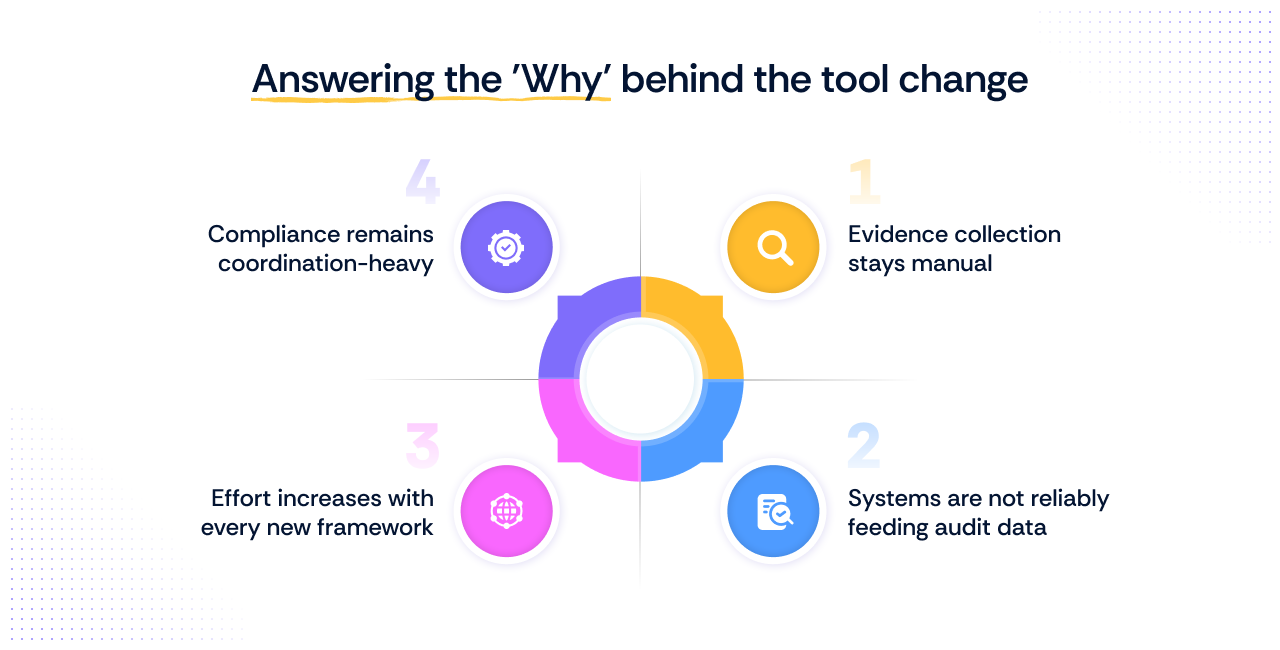
The failure shows up in four consistent patterns.
1. Evidence collection stays manual
Teams are still pulling screenshots, chasing down access logs, and formatting documents to satisfy auditors week after week.
According to the Swimplane survey, more than half of security teams spend five or more hours each week on manual compliance tasks, and nearly every organization uses three or more tools to gather audit evidence, with just 39% of that process automated.
2. Systems are not reliably feeding audit data
Integrations are missing or unstable, creating blind spots that only surface during audits
3. Effort increases with every new framework
Controls are not unified, and evidence cannot be reused, so work gets repeated across frameworks.
4. Compliance remains coordination-heavy
Audit readiness depends on people and processes, not system-driven outputs.
At this point, the tool is no longer reducing compliance effort. It is only helping teams manage growing manual work. It is simply organizing the work while the underlying workload continues to grow.
This is what tool failure looks like at scale. The problem is not just rising compliance complexity. It is that your system no longer matches how your organization operates.
The parallel run model: How safe switching actually works
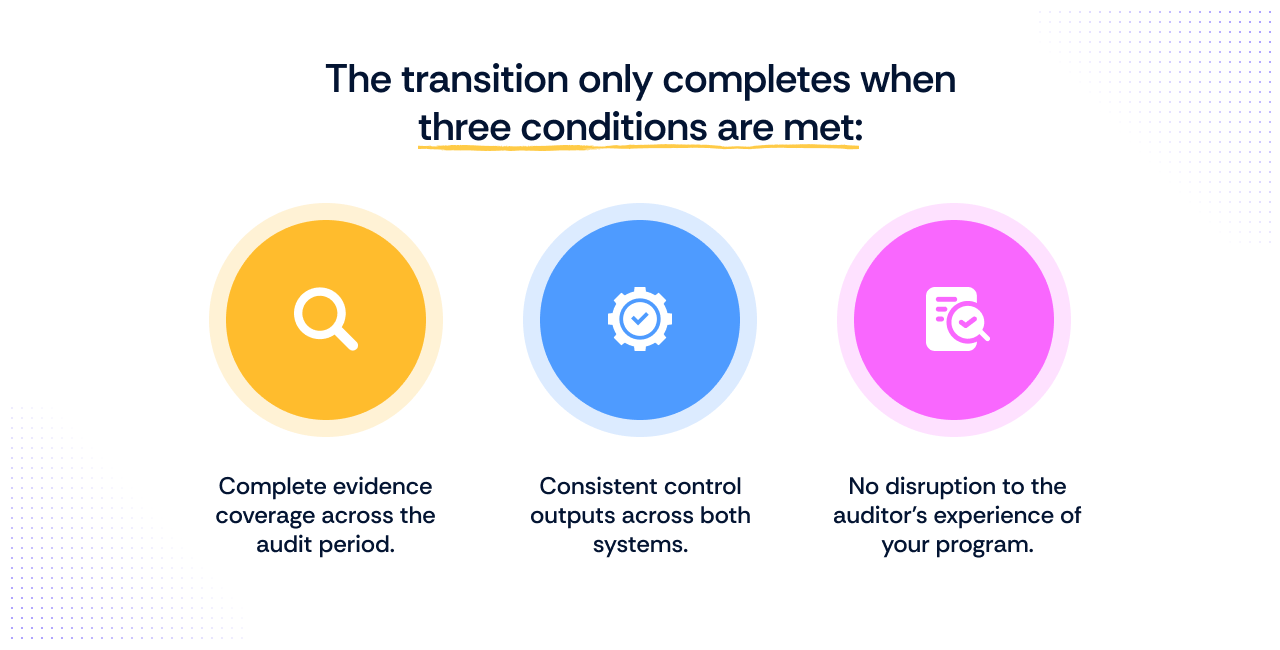
The parallel run model is simple in concept: for a defined period during the transition, both your old and new compliance tools run simultaneously. The old tool remains the active system of record, accountable for everything your auditor sees.
The new tool runs alongside it, is configured, integrated, and validated against real controls and evidence before it assumes any audit responsibility. Nothing moves to the new tool until it can demonstrably produce the same outputs as the old one.
You are not migrating your audit. You are rebuilding audit readiness in a controlled environment, in parallel, until the new tool earns the right to replace the old one.
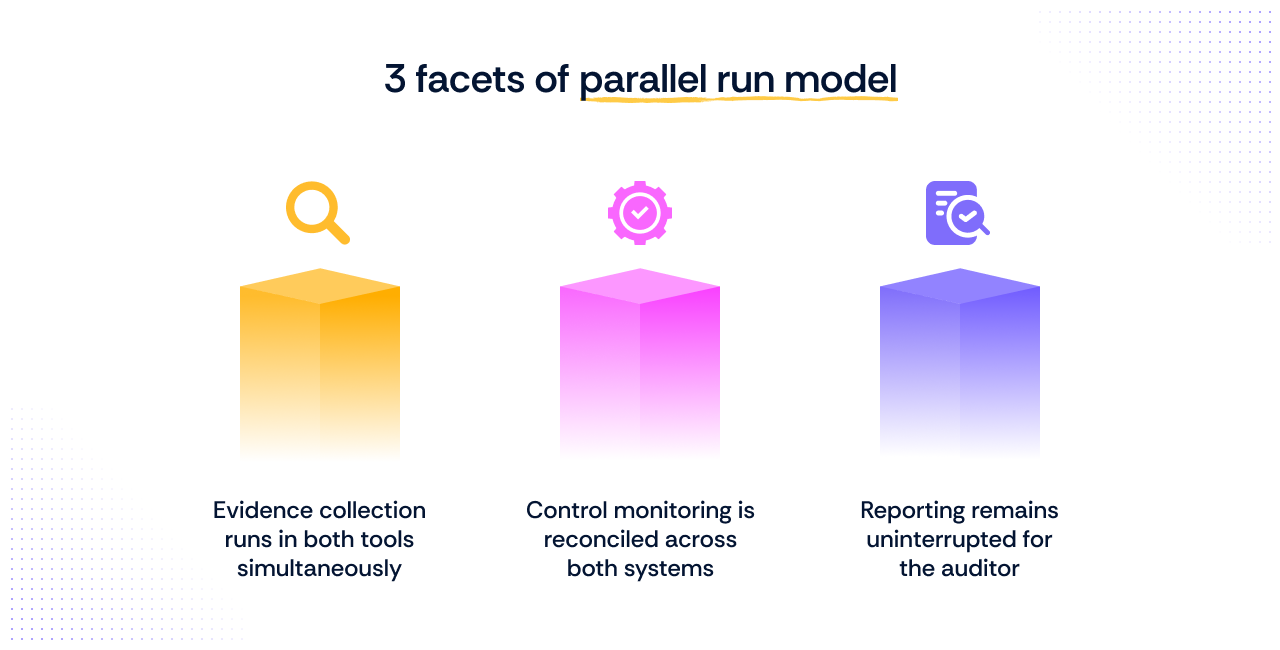
Here is what running each of those in parallel actually involves.
1. Evidence collection runs in both tools simultaneously
The old tool continues to collect and store evidence exactly as it did before. The new tool begins collecting the same evidence independently through its own integrations. If the new tool's automated evidence collection produces outputs that match the old tool's records, you have a verified baseline to transition from.
2. Control monitoring is reconciled across both systems
Controls active in the old tool are mapped to their equivalents in the new system. Any gaps in the new tool's control coverage become immediately visible because the old tool's output serves as the reference point. This is how control mapping drift gets caught before it becomes an auditor's finding.
3. Reporting remains uninterrupted for the auditor
Throughout the parallel run period, your auditor continues to receive reports and evidence from the old tool. The new tool's reporting is reviewed internally first, compared with the old system's outputs, and handed to the auditor only once consistency is confirmed.
The 6-week cutover plan: Execution blueprint
This is the plan that a 150-person engineering team running an active SOC 2 audit would follow to switch compliance tools without slipping. Every week has a specific objective, a clear set of actions, and a defined output. Nothing moves forward until the previous week's conditions are met.
Week 0: Audit snapshot
Before anything changes, you freeze the current state. The goal is to capture exactly where your audit stands before a single integration is touche
- Export all collected evidence from the old tool
- Export all control mappings and policy documents
- Export all framework configurations
- Identify which audit items are already completed versus still pending
- Define and freeze the transition scope based on pending items only
- Store all exports in a secure, accessible location outside the old tool
Week 1: Integrations and baseline
With the snapshot locked, the first live week is entirely about connecting the new tool to your infrastructure and confirming that real signals are flowing.
- Connect cloud providers: AWS, GCP, or Azure.
- Connect identity and access management: Okta or Google Workspace
- Connect code repositories: GitHub or GitLab
- Confirm automated evidence collection has started pulling live data
- Document any integration failures or gaps for immediate remediation
Week 2: Control mapping
Now that integrations are live, you translate every active control from the old tool to its equivalent in the new system. This is a fidelity exercise, not a redesign.
- Map every active control from the old tool to its equivalent in the new tool
- Align each mapped control to the correct compliance framework
- Confirm evidence being collected maps correctly to each control
- Flag any controls with no direct equivalent for manual review
- Do not restructure or rewrite controls during this step
Week 3: Evidence backfill
With controls mapped, you turn to the historical record and confirm the new tool can account for the full audit period.
- Import historical evidence from the old tool covering the pre-transition period
- Re-run automated checks in the new tool against all active controls
- Identify any controls with missing or incomplete evidence signals
- Document every gap found as a remediation task
- Resolve all remediation tasks before moving to week four
Week 4: Parallel validation
Both tools are now running simultaneously. This week is the quality gate. Nothing proceeds until outputs are fully consistent.
- Compare evidence coverage across every active control in both tools
- Confirm new tool outputs match old tool records for the same time period
- Identify and resolve any mismatched evidence, artifacts, or control statuses
- Confirm all framework alignments are accurate in the new tool
- Sign off on parallel validation before proceeding to auditor communication
Week 5: Auditor alignment
Before the cutover, you communicate proactively with your auditor. The message is precise: scope has not changed, only the system managing it has.
- Notify the auditor of the system transition before cutover
- Confirm that the compliance program scope remains unchanged
- Share the control mapping document showing old to new correspondence
- Confirm evidence formats are consistent with what the auditor has been reviewing
- Clarify how historical evidence will remain accessible post-cutover
- Address any auditor questions or concerns before proceeding
Week 6: Cutover
The new tool becomes the single source of truth. The transition completes cleanly, and the audit continues without interruption.
- Set the new compliance management tool as the active system of record
- Move the old tool to read-only status
- Confirm all active integrations are running correctly in the new tool
- Confirm all controls are monitored, and evidence collection is uninterrupted
- Store complete exports from the old tool in cold storage for reference
- Notify the auditor that the cutover is complete
What happens to your audit artifacts during a tool switch
Switching compliance tools does not mean starting your audit from zero. But it does require deliberate decisions about what to carry forward, what to regenerate, and what to preserve exactly as it is.
Most teams that run into trouble here do so not because they lost evidence, but because they made assumptions about how artifacts would transfer without actually verifying them.
Here is how to handle each artifact category correctly.
1. Evidence
The first step is to export everything from the old tool and store it in a location independent of both systems, such as an S3 bucket, Google Drive, or a dedicated audit archive folder. This ensures that, regardless of what happens during the transition, your evidence record is never at risk.
Once stored, the key decision is whether to reuse or regenerate.
Reuse: Static evidence, such as signed policies, configuration snapshots, vendor agreements, and access review records, can be directly attached to the corresponding controls in the new tool. It does not need to be recreated.
Re-collect: Dynamic evidence, such as logs, automated control test results, and continuous monitoring outputs, cannot be imported and treated as current. It needs to be re-collected through the new tool's integrations from the point of transition forward.
Conflating these two categories is where evidence gaps originate.
2. Control mapping
The instinct when migrating controls is to assume a clean, one-to-one correspondence between the old and new tools. That assumption will create problems. Every compliance automation tool structures its control library differently, and the same underlying requirement can be expressed, grouped, or tested in entirely different ways across platforms.
The correct approach is to map, validate, and then refine. Map each control from the old tool to its closest equivalent in the new system, then verify that the mapped control is tested and documented in the same way.
Only after validation should you make any refinements. Avoid the temptation to consolidate or restructure controls during migration. That work belongs in a stable cycle, not a transition.
3. Audit trail
The audit trail is the artifact most teams underestimate during a tool switch. Auditors do not just review evidence in isolation. They look at the timelines for when controls were tested and when evidence was collected, and whether there is a coherent, unbroken narrative of compliance activity across the entire audit period.
Preserving timestamps from the old tool is non-negotiable. When importing historical evidence into the new system, the original collection date must be retained rather than replaced with the import date.
Alongside this, maintain a short continuity narrative, a written record that documents when the transition occurred, what was migrated, and how the two systems' outputs connect. This provides the auditor with a clear reference point and ensures full traceability throughout the audit period.
How to communicate a tool switch to your auditor
Most engineering leaders dread this conversation more than the switch itself. They should not. Auditors are not attached to the tools you use. They are attached to the integrity, consistency, and completeness of the evidence that those tools produce.
A well-framed conversation with your auditor before the cutover virtually eliminates all friction.
Here is exactly what to communicate.
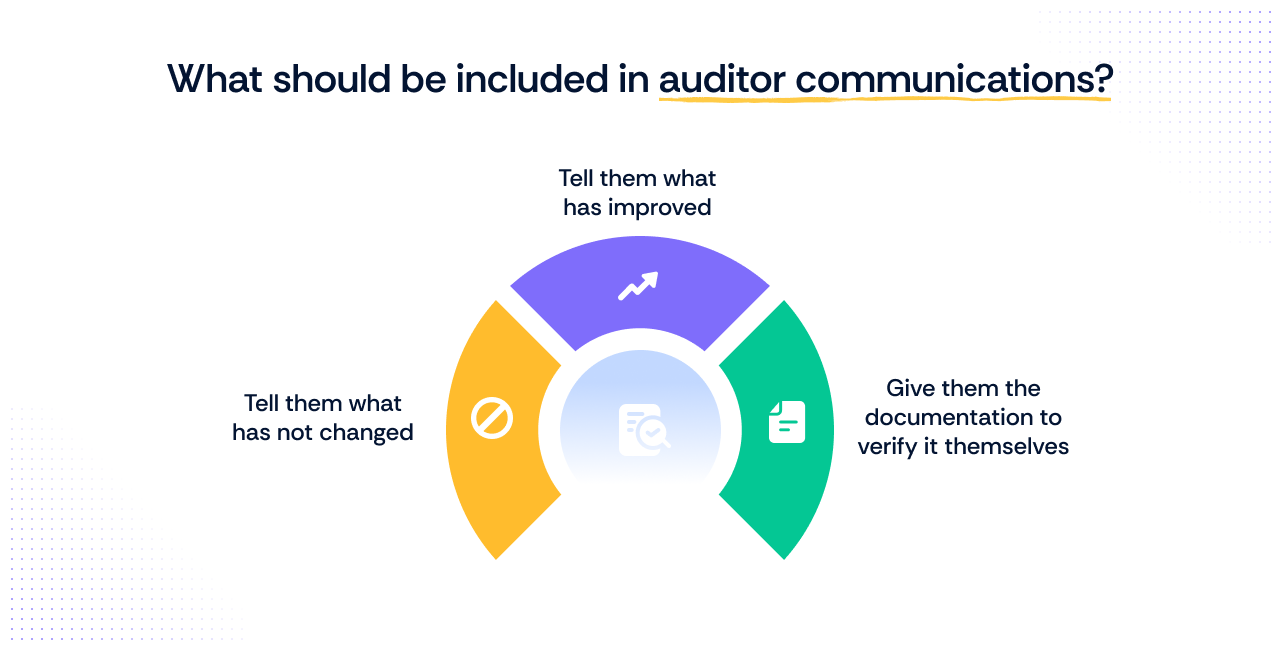
1. Tell them what has not changed
Lead with this. The scope of your compliance program has not changed. The controls being tested have not changed. The frameworks you are operating against have not changed. The only thing that has changed is the system collecting and organizing the evidence. Auditors anchor their work on program continuity. When you confirm that continuity is intact, the conversation becomes straightforward.
2. Tell them what has improved
Frame the tool switch as an improvement in evidence collection, not a disruption. Your new compliance automation tool continuously collects evidence, maps it directly to controls, and produces outputs in a consistent, auditor-friendly format. This is a net positive for them. Cleaner evidence means a faster, smoother review.
3. Give them the documentation to verify it themselves
Do not ask your auditor to take your word for it. Share the control mapping document that shows the direct correspondence between old and new controls. Confirm that historical evidence remains accessible with original timestamps intact. Give them a written continuity narrative that covers the transition period. Traceability is what closes the loop.
What can go wrong when switching compliance tools (and how to prevent it)
Switching compliance tools mid-audit does carry real risk, but only when those risks are not understood at an operational level. Most failures are not caused by the switch itself, but by gaps in how the transition is executed.
Here are the most common failure modes and how to prevent them.
Engineering effort and operational impact
One of the most common reasons engineering leaders delay switching compliance tools is the assumption that it will consume significant team bandwidth at the worst possible time. The reality, when the transition is structured correctly, is considerably more contained than that.
In most organizations, the transition is jointly owned rather than carried by a single team. The compliance owner typically leads audit continuity and control coverage, while an engineering or platform lead helps validate integrations and system signals. An IT or cloud owner may also support configuration, access, and source-level evidence checks where needed.
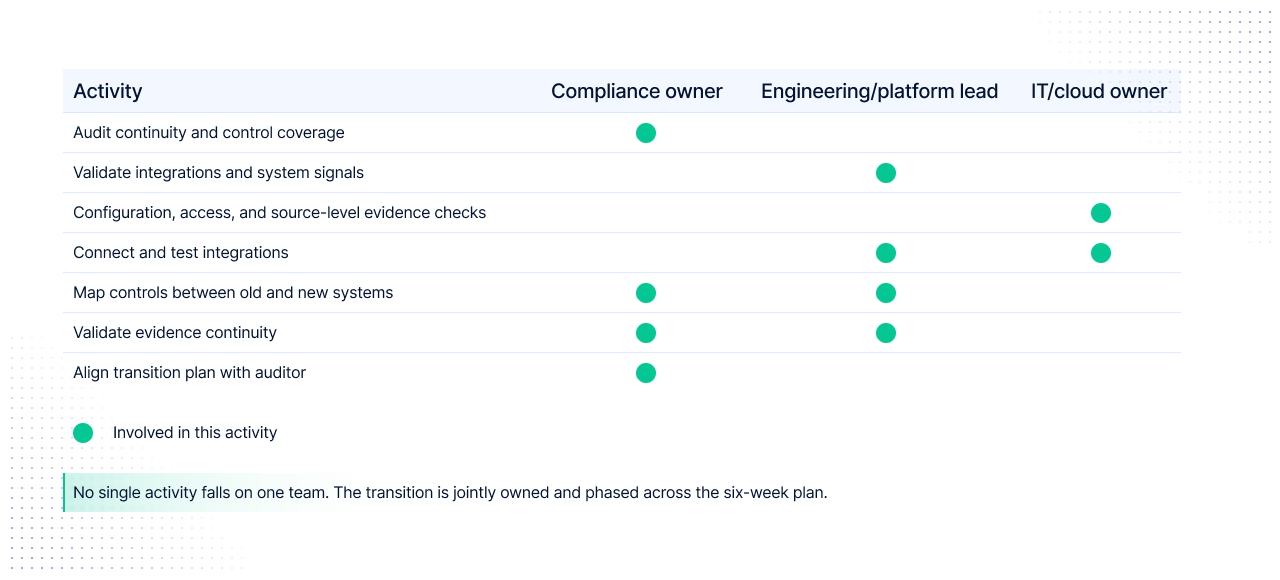
The work itself is usually concentrated around a few core activities: connecting and testing integrations, mapping controls between the old and new systems, validating evidence continuity across the audit period, and aligning the transition plan with the auditor. Because this happens in phases, the effort is spread across the transition period rather than landing as a single migration event.
A well-executed parallel run does not require a dedicated migration team or a sprint pulled away from product work. The effort is distributed across a phased plan, with each week carrying a focused, bounded set of tasks that do not spill into one another.
No single stage demands full team attention, and the structured sequencing of the six-week plan is specifically designed to prevent the kind of concentrated effort that disrupts normal engineering operations.
There is no stop-the-world event here. The transition runs alongside your existing audit cycle, not instead of it. Cloud compliance tools that offer strong out-of-the-box integrations and pre-mapped controls significantly reduce the configuration burden, which is precisely what keeps the operational footprint small.
The key condition that keeps effort contained is preparation. Teams that front-load the audit snapshot in week zero and validate integrations rigorously in week one rarely encounter the rework in later weeks that inflates timelines. The transition only becomes expensive when it is treated as an afterthought rather than a structured engineering workstream.
How to assess if switching compliance tools mid-cycle is the lower-risk move?
At some point, this stops being a tooling limitation and becomes an audit risk. That is when the decision shifts.
If these signals are already present in your current audit cycle, switching is no longer a future improvement. It is an immediate requirement.
- Evidence is not being generated continuously and requires manual effort to assemble.
- Your systems are not consistently producing audit-ready data
- Effort increases every time a new framework is added
- Audit preparation still depends on coordination across teams instead of system output
- Your compliance posture cannot be demonstrated quickly when needed
If this is your current state, staying does not preserve stability. It introduces silent gaps into your audit cycle.
A structured transition to the right compliance tool, executed in parallel with your ongoing audit, is a lower-risk move than continuing with a system that cannot keep pace with your environment.
The decision is not about switching versus staying. It is about controlled transition versus the accumulation of operational risk.
The switch is not the risk. The lack of structure is.
Switching compliance tools mid-cycle only works if your new system can pick up where the old one left off. Before committing, evaluate any new tool against four capabilities: stable integrations across your cloud, identity, and code systems; continuous automated evidence collection; clean control mapping across frameworks; and preserved audit trail timestamps when historical evidence is imported. If a tool cannot meet these conditions, a parallel run will not hold.
This is where Scrut makes the transition far less risky.
Instead of forcing a hard cutover, Scrut supports a parallel run model from day one. You can connect your cloud, code, and identity systems through 150+ integrations and start collecting evidence immediately, while your existing tool continues to operate as a backup.
Automated checks run every 24 hours, ensuring there are no blind spots in control monitoring or evidence collection during the transition.
Scrut also reduces the complexity of control mapping. With 1500+ pre-mapped controls across frameworks, you don’t need to rebuild your compliance structure from scratch. You can align existing controls, validate outputs, and gradually shift your audit workflow without duplication.
For auditors, continuity is preserved. Evidence remains structured, traceable, and consistent, even as the underlying system changes.
The result is a controlled transition where your team avoids rework, maintains audit readiness, and moves to a system that actually reduces effort going forward.
Explore how Scrut helps engineering and platform teams switch compliance tools without losing audit readiness, evidence continuity, or control coverage. Book an interactive product tour and see it in action.
Yes, you can. The key is to avoid a hard cutover and run both tools in parallel for a few weeks. This ensures continuous evidence collection and no gaps in audit coverage.
You don’t lose it. Most teams export existing evidence and either reuse it (for static artifacts) or re-collect it automatically in the new system to ensure freshness and consistency.
Not if handled properly. As long as the control scope and logic remain unchanged, and evidence stays traceable, auditors are usually fine with a tool change. Clear communication is critical.
Typically, one engineer part-time for 2–4 weeks is enough. Most of the work involves setting up integrations, validating controls, and running both systems in parallel.
The biggest risk is creating gaps in evidence or mismatched controls. This usually happens during rushed migrations. A structured, parallel approach prevents this entirely.


%201.png)