

%20(1).png)
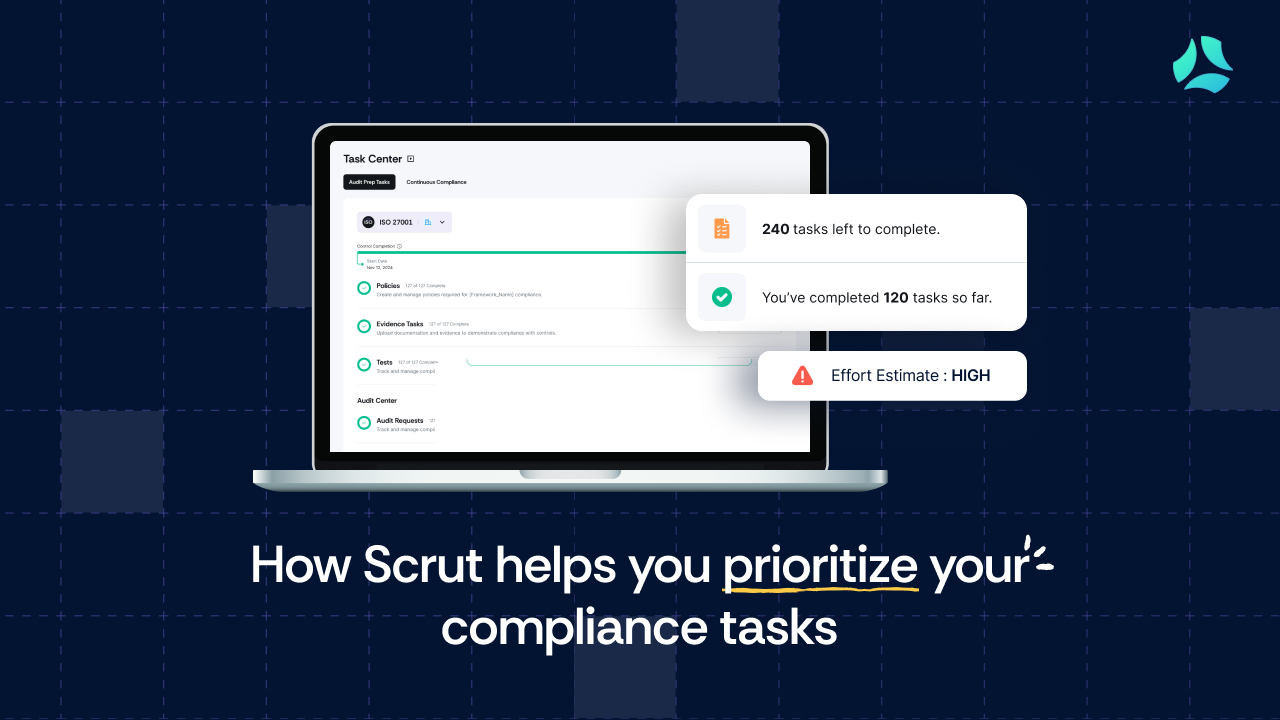


Compliance teams waste significant time on a problem that shouldn’t exist: figuring out what to work on first.
It’s not that the work itself is unclear. Everyone knows policies need drafting, evidence needs approval, and controls need remediation. That part’s straightforward.
The real problem is that most teams are staring at flat to-do lists scattered across their GRC platform, three different spreadsheets, email threads, Slack channels, and a ticketing system that nobody updates. And none of it tells them what actually matters right now, what just changed, or how long anything will take.
So they end up working on whatever landed in their inbox most recently. Or whatever feels easiest. Or whatever their manager asked about in standup. Critical blockers get missed. Auditors sit waiting. Certifications drag on for months.
It’s not a people problem. It’s a prioritization problem. That’s why we have built a new set of capabilities to fix that by giving compliance teams a single place to:
- See centralized work across the compliance lifecycle with Task Center
- Track important updates inside Scrut with Notification Center
- Prioritize and delegate tasks based on effort with Effort Estimate
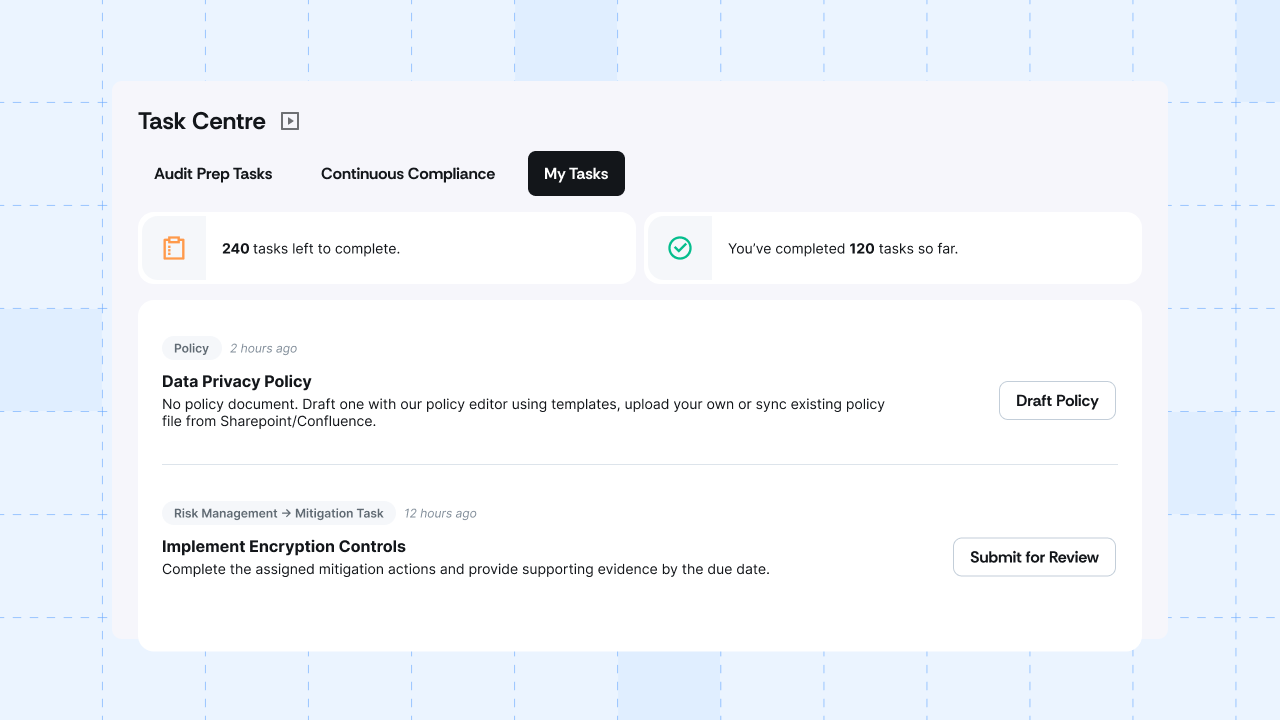
Task Center: Your entire compliance to-do list in one workspace
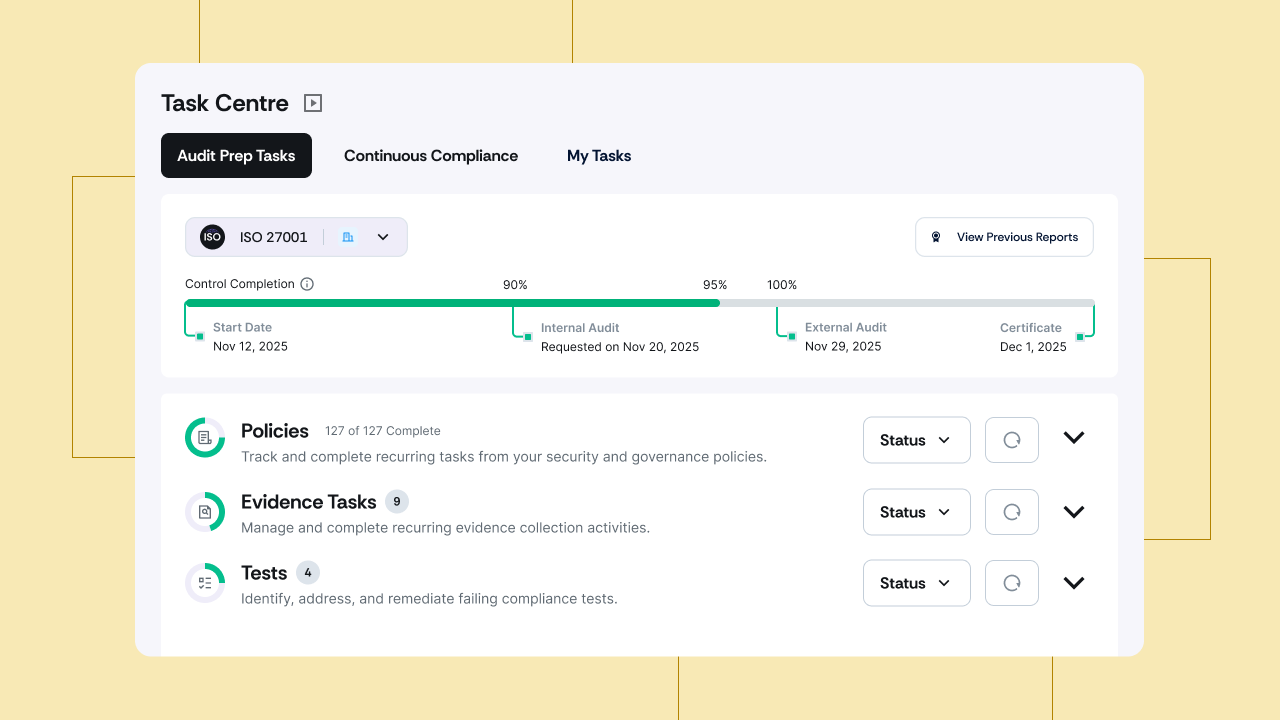
The goal of the Task Center is simple. You shouldn’t have to open a spreadsheet, multiple modules, and five browser tabs just to answer “what do we need to do this week?”
Task Center is where all compliance work comes together. Instead of hopping between policies, evidence, tests, and audits, you get one view that’s organized by the actual lifecycle of your program:
- Onboarding: Initial setup and environment questions that unblock everything else
- My Tasks: A personal view for each user that shows only what’s assigned to them
- Audit Prep: The core work needed to get audit-ready: policies, evidence, control tests, and audit scheduling
- Continuous Compliance: Recurring and post-certification obligations that keep programs from drifting
You can slice this view by framework (e.g., SOC 2, ISO 27001, GDPR, HIPAA), entity (if you’re managing multiple entities), or role (what admins see vs contributors).
If you are new to Scrut, you don’t have to guess where to start. You land on the Onboarding tab in Task Center, answer the initial questions, and then move directly into Audit Prep with a clear list of policies, evidence, and tests to work on.
Notification Center: A discovery channel for important updates across Scrut
A lot happens inside a GRC program in a single day. Tests fail. Policies get assigned. Evidence gets rejected.
Even with a good task view, prioritization falls apart if you don't know when something important changes. If those updates only live in email threads or Slack channels, they're easy to miss and hard to act on.
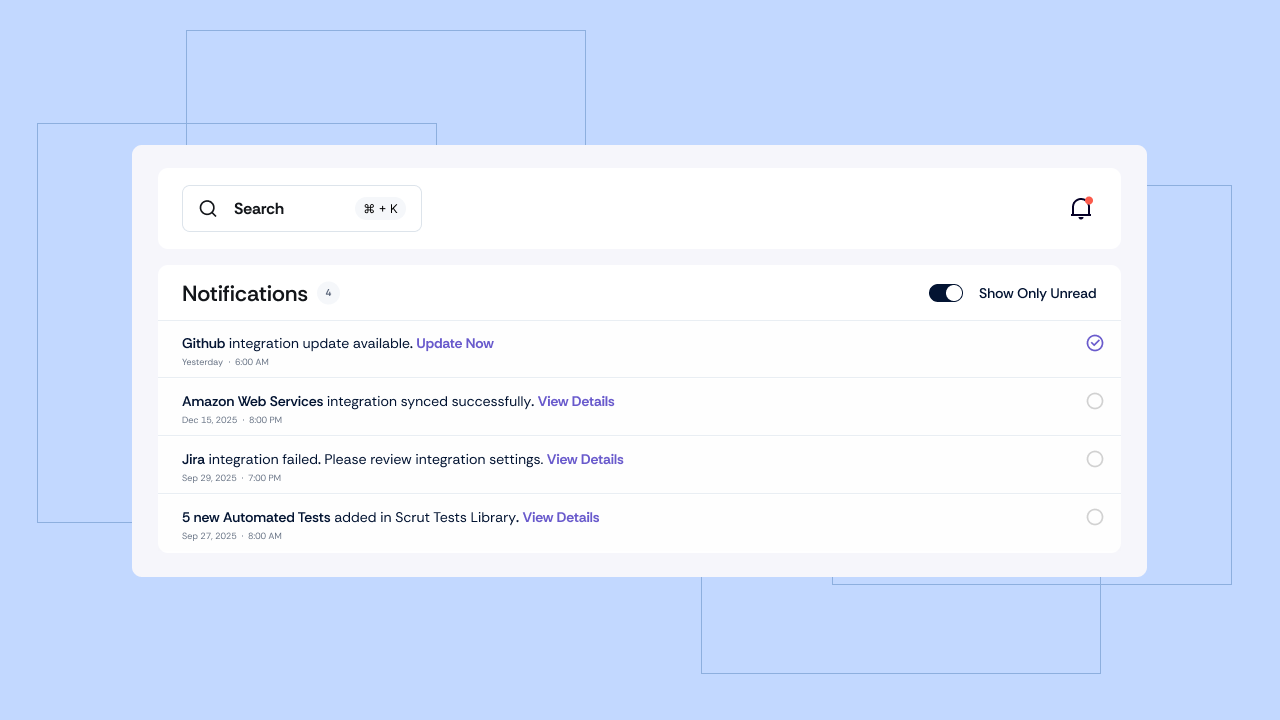
The Notification Center consolidates all important updates into a single feed within Scrut. You access it through the notification bell. Instead of 10+ scattered alerts, you see an organized list of what changed, and you can jump directly to the relevant item in the Task Center.
Here’s what shows up:
- New tasks or ownership changes
- Status changes on key items
- Failed tests or other risk-relevant events
- Audit-related updates
- Product-level alerts that affect how they work
From any notification, users can click through to Task Center with the right filters already applied. They land on the exact slice of work that the notification relates to, instead of searching across modules to find it again.
Effort Estimate: See how ‘intensive’ the work actually is
Not all tasks are equal. Updating a simple access policy owned by one person is not the same as coordinating a new policy that needs input from three departments and legal.
In most GRC tools, both show up as identical line items. The actual effort is hidden. Teams underestimate the time, resources, and people required, and deadlines slip.
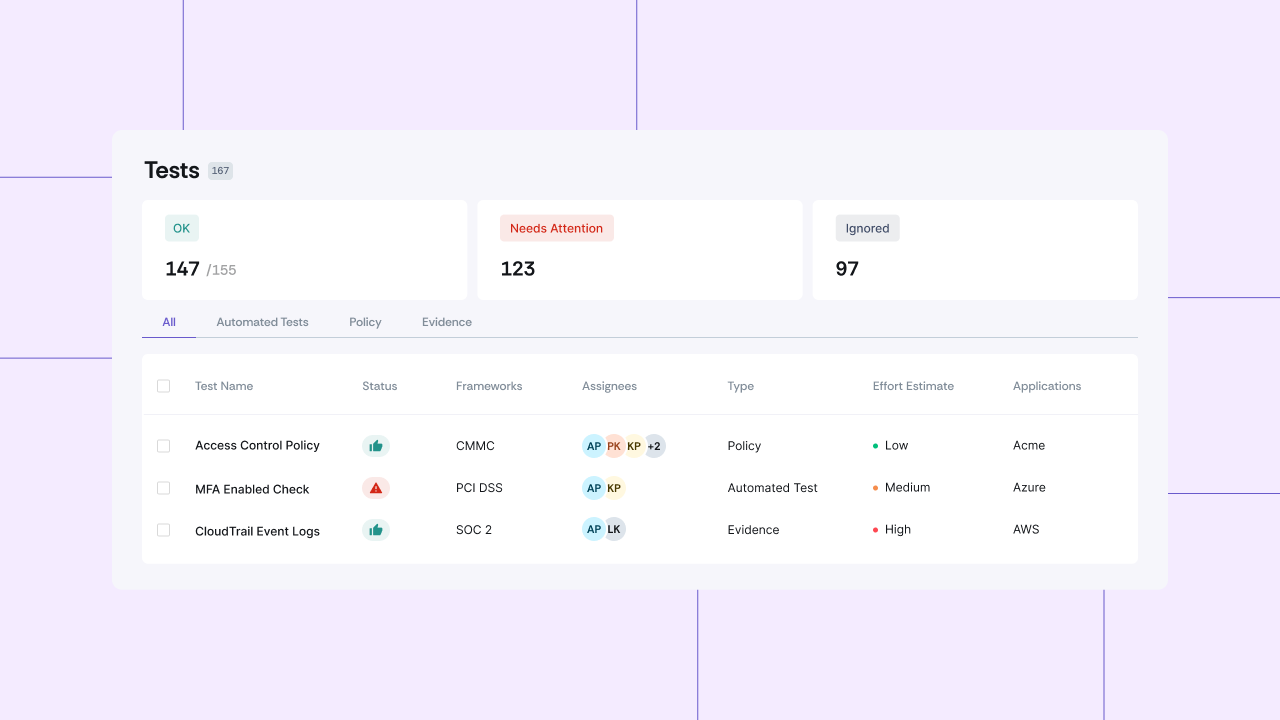
Scrut’s Effort Estimate feature adds a simple label to each policy, test, and evidence task:
- LOW: Quick to complete, minimal coordination needed
- MEDIUM: Requires some planning or input from others
- HIGH: Complex work involving multiple people or departments
These labels are based on factors like typical task complexity, the time it usually takes teams to complete, and how many people are normally involved.
How these capabilities work together
Individually, each of these features is useful. The real value is in how they work together. A typical flow looks like this:
- You log in and check the notification bell. You see what changed since you were last online: new assignments, status updates, or anything time-sensitive.
- You open what looks most important. One click takes you directly into the Task Center with the right filters applied, so you can go straight to the relevant set of tasks instead of a generic dashboard.
- You execute inside the usual modules. When you open a task, Scrut takes you straight to the relevant policy, evidence record, test, or control. As you make progress, Task Center updates the status, and notifications keep the right people in the loop.
- You review effort and ownership. Effort labels indicate which items are quick wins and which will require more time. Owners are clearly visible, so you know who is responsible for each task.
- You decide what to do next. You might clear three low-effort items before a meeting. You might schedule time with your team for a high-effort task that needs multiple stakeholders.
The point is that you always know three things at once: what changed, what needs to be done, and how effort-intensive that work is.
Getting started
This new suite of capabilities doesn’t change what your frameworks require. It changes how you see, prioritize, and manage that work.
With Task Center, Notification Center, and Effort Estimates in Scrut, most teams can stop relying on:
- External spreadsheets to track assignments and status
- Ad-hoc email or Slack updates just to tell people what changed
- Generic project management boards that don’t understand compliance stages or frameworks
- Manual “who’s overloaded?” conversations where effort is guessed, not visible
These updates are now available in Scrut.
If you’re an existing customer and want to see how this fits into your current program, reach out to your Scrut CSM for a walkthrough. If you’re new to Scrut and want to see how this can make your compliance workload easier to manage, contact us for a 1:1 demo.


%201.png)



.png)